Easy SaaS Security Rules: 10 Proven Tips to Thrive in 2026

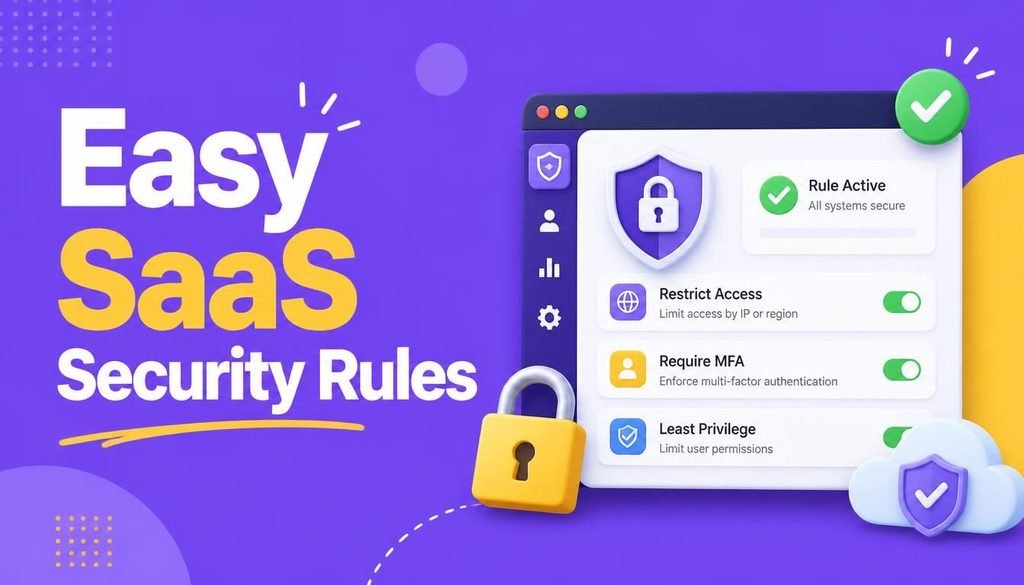
Software as a Service (SaaS) has become the operational backbone of modern commerce. Businesses of every size rely on cloud-hosted software for daily email communications, financial accounting, project management, customer relationship tracking, file storage, and team messaging.
However, operational convenience brings digital responsibility.
When your organization relies on dozens of web-based applications, every individual user account represents a potential entry point into your network. A single recycled password, an unrevoked account from a former employee, or an accidental click on a phishing link can expose confidential financial records and customer data.
The good news is that implementing easy SaaS security rules does not require a massive enterprise IT budget or a dedicated team of cybersecurity engineers.
By applying a few practical easy SaaS security rules, you can significantly reduce common vulnerabilities, establish resilient digital defense habits, and keep your remote workers, startups, and small businesses protected in 2026.
What Is SaaS Security and Why Does It Matter in 2026?
SaaS security refers to the technologies, access controls, and user policies implemented to protect cloud-based applications, user identities, and corporate data.
Common SaaS applications requiring continuous protection include:
- Productivity Suites (Google Workspace, Microsoft 365)
- Collaboration & Project Management (Slack, Notion, Asana, ClickUp)
- Financial & Sales Software (Cloud accounting tools, CRM platforms)
- Cloud Storage Repositories (Google Drive, OneDrive, Dropbox)
A fundamental concept to grasp when studying easy SaaS security rules is the Shared Responsibility Model.
While the cloud software vendor secures the physical data centers, servers, and network infrastructure, your business remains 100% responsible for managing user identities, access permissions, multi-factor authentication, and employee security awareness.
Leading regulatory and security bodies, such as the Cybersecurity and Infrastructure Security Agency (CISA), emphasize that multi-layered access management is essential to prevent unauthorized cloud intrusions.
10 Proven SaaS Security Rules to Protect Your Business
Implementing easy SaaS security rules comes down to securing account credentials, auditing access permissions, and training your team to spot modern social engineering tactics.
1. Enforce Unique, Complex Passphrases
Reusing the same password across multiple corporate accounts is an immediate security vulnerability. If a minor third-party platform suffers a data breach, attackers execute automated “credential stuffing” attacks to break into your primary email, cloud storage, or financial software.
Mastering easy SaaS security rules starts with using a unique, 16+ character passphrase for every platform. Deploying an encrypted password manager allows team members to generate, store, and auto-fill complex passwords without needing to memorize dozens of credentials.
For a step-by-step guide on password hygiene, read our tutorial on How to Create and Manage Strong Passwords.
2. Mandate Phishing-Resistant Multi-Factor Authentication (MFA)
Relying solely on passwords is no longer sufficient to secure cloud applications. Multi-Factor Authentication (MFA) adds an indispensable second layer of verification before access is granted.
┌─────────────────────────────────────────────────────────────┐
│                 Multi-Factor Authentication                 │
├──────────────────┬──────────────────┬───────────────────────┤
│ Step 1: Password │ Step 2: MFA Code │ Granted Cloud Access  │
│ (Something Known)│ (Authenticator)  │ (Secure Workspace)    │
└──────────────────┴──────────────────┴───────────────────────┘
When establishing easy SaaS security rules, mandate MFA across all employee accounts. Prioritize email accounts, administrator dashboards, accounting software, and cloud storage repositories. Use mobile authenticator apps or hardware security keys (like YubiKeys) rather than basic SMS text messages.
3. Enforce the Principle of Least Privilege for Admin Access
Administrator accounts possess master controls to modify system settings, wipe data, create new users, and export confidential files. Giving every employee admin privileges for convenience drastically increases your attack surface.
Follow these administrative guidelines:
- Limit master administrator roles to a minimal number of trusted team members.
- Standardize daily operations using basic user accounts with restricted permissions.
- Require explicit re-authentication whenever administrative changes are made.
4. Conduct Quarterly User Permission Audits
Not every employee requires access to every folder, database, or financial app. A marketing coordinator, for instance, rarely needs access to payroll data or core source code repositories.
Review role-based permissions quarterly. When employees change roles within the company, adjust their cloud access immediately. Restricting access to a “need-to-know” basis limits data exposure if an individual account gets compromised.
5. Train Employees to Recognize Advanced Phishing Attacks
Phishing remains one of the primary vectors used by attackers to harvest SaaS login credentials. Modern phishing emails use AI text generators to craft convincing messages impersonating bank officers, vendors, or internal managers.
Train your staff to inspect email headers, verify unexpected file attachments, and scrutinize links before entering credentials. To protect your broader organization from malicious email attachments, review our guide on How to Prevent Ransomware Attacks.
6. Audit and Revoke Unused Third-Party App Integrations
A major advantage of cloud platforms is connecting apps together (e.g., linking your project management tool to Google Drive and Slack). However, every OAuth authorization grants third-party software access to your corporate environment.
Audit connected integrations regularly. Immediately revoke access for apps, browser extensions, or workflow automations that are no longer actively used by your team.
Developers routinely publish open-source security audit scripts and configuration templates on hubs like GitHub to help small teams automate third-party integration reviews.
7. Maintain Independent, Isolated Backups
Cloud software hosting does not automatically guarantee instant data restoration. Accidental file deletions, malicious insider activity, or ransomware infection inside cloud-synced folders can corrupt your primary workspace.
Maintain independent, automated backups of critical cloud databases and documents. Ensure at least one secondary backup copy is stored offline or in an isolated cloud environment.
8. Secure Remote Work Endpoints and Public Wi-Fi Access
With remote and hybrid work environments now standard, employees frequently access corporate SaaS applications from home networks, cafes, or airports.
Protect remote connections by requiring:
- Device encryption and automatic operating system updates
- Use of Virtual Private Networks (VPNs) or Zero Trust Network Access (ZTNA) on untrusted networks
- Mandatory screen locks on all mobile and laptop devices
For comprehensive remote security protocols, check out our guide on Best Cybersecurity Practices for Remote Workers.
9. Establish a Strict Offboarding Process
Abandoned accounts belonging to former employees or past contractors present a massive security risk. Leaving an account active allows former staff—or attackers who compromise their old credentials—unrestricted access to internal files.
Create a standardized offboarding checklist:
- Immediately revoke primary single sign-on (SSO) and email credentials.
- Terminate active sessions across all connected SaaS applications.
- Remove user access from third-party integrations and messaging channels.
- Transfer critical business documents to an administrative account.
10. Enable Real-Time Security Notifications and Logging
Most modern SaaS platforms provide built-in security dashboards that record login attempts, IP addresses, and device fingerprints.
Configure automated alerts for high-risk activity, such as:
- Logins from unexpected geographic locations
- Multiple failed authentication attempts
- Creation of new administrative profiles
- Bulk downloads of corporate files or customer databases
To understand how cloud configurations fit into overall infrastructure protection, explore our analysis on Why Cloud Security Is Essential for Startups.
Comparison: Weak Habits vs. Proven Easy SaaS Security Rules
| Security Category | Vulnerable Habit | Proven Easy SaaS Security Rule |
| Passwords | Reusing passwords across multiple apps | Unique passphrases managed in a secure password manager |
| Authentication | Password-only sign-ins | Mandatory MFA via authenticator apps or security keys |
| User Access | Administrator access given to all employees | Principle of Least Privilege applied to all accounts |
| Integrations | Installing third-party app plugins freely | Regular audits and removal of unused integrations |
| Offboarding | Delayed account deletion after staff departures | Instant account revocation and session termination |
Practical Setup Checklist for Small Businesses
- [ ] Password Manager: Deploy a business password manager across all user devices.
- [ ] MFA Enforcement: Turn on mandatory MFA for email, storage, and financial tools.
- [ ] Role Audit: Revoke master admin privileges from standard team members.
- [ ] Offboarding Protocol: Document a formal offboarding checklist for departing staff.
- [ ] App Review: Audit connected OAuth integrations and remove unused third-party permissions.
To learn more about complementary business software suites, check out our guide on the Top SaaS Tools 2026.
Final Thoughts
Adopting easy SaaS security rules is not about restricting productivity—it is about taking control of your company’s digital environment. By enforcing unique passphrases, mandating MFA, restricting admin access, and training your team against phishing, you create a resilient defense that keeps your cloud operations running smoothly.
Start by securing your core business email and administrator dashboards today, and build out your team’s security protocols step by step.
Frequently Asked Questions (FAQs)
Are cloud SaaS tools safer than traditional desktop software?
Yes, reputable SaaS vendors maintain dedicated security engineering teams and enterprise-grade physical data center security. However, because SaaS tools are accessible over the internet, securing user passwords and access permissions is critical to preventing account breaches.
What is the most important SaaS security rule for a small team?
Enforcing mandatory Multi-Factor Authentication (MFA) across all accounts—especially primary business email and cloud storage portals—is the single most effective rule to prevent unauthorized account access.
Does cloud storage eliminate the need for independent backups?
No. Cloud syncing mirrors changes instantly. If a local file is corrupted, encrypted by ransomware, or accidentally deleted, that change syncs across the cloud. Maintaining isolated, historical backups ensures full data recovery.
Share Your Experience
Which easy SaaS security rules has your business already put into practice? Have you deployed password managers or enforced MFA across your team? Share your experiences, favorite security tools, or questions in the comments below!

5 Comments