Easy Accounting for Freelancers: 7 Best Proven Tips to Thrive in 2026


Freelancing offers unmatched flexibility: you choose your clients, set your rates, and run your business from anywhere in the world. However, there is one critical responsibility that many solo professionals dread—managing the books.
Tracking invoices, categorizing business expenses, hunting down missing receipts, calculating tax obligations, and chasing unpaid client bills can quickly feel overwhelming when you operate as a one-person team.
The good news is that mastering easy accounting for freelancers does not require a finance degree or hours of manual spreadsheet entry every weekend. Learning easy accounting for freelancers starts with building a clean, simple routine that automates repetitive financial chores.
With a streamlined system and the right automation tools, easy accounting for freelancers allows you to maintain pristine financial records, maximize tax deductions, and protect your cash flow in under an hour a week.
In this comprehensive guide, we break down easy accounting for freelancers, outline key bookkeeping habits, compare top cloud software, and share a practical workflow to keep your finances under control in 2026.
What Is Freelance Accounting and Why Does It Matter?
At its core, easy accounting for freelancers is the continuous process of tracking, recording, and organizing every dollar entering and leaving your business.
Unlike corporate employees who receive standardized paychecks with taxes pre-withheld, freelancers act as their own financial directors. When implementing easy accounting for freelancers, you need immediate visibility into:
- Gross Revenue: Total payments collected from clients.
- Operating Expenses: Business costs incurred to deliver your services.
- Net Profit: What actually remains in your bank account after expenses.
- Tax Liabilities: Money set aside for local and national tax obligations.
- Accounts Receivable: Issued invoices waiting to be settled by clients.
Establishing clear financial habits early protects your profit margins, prevents tax season panic, and ensures you never leave billable revenue on the table.
7 Proven Steps to Simplify Freelance Accounting in 2026
Building a frictionless bookkeeping system comes down to separating personal assets, leveraging cloud software, and automating routine record-keeping.
1. Separate Personal and Business Finances Immediately
Mixing personal purchases with client income is the single biggest cause of accounting headaches.
Open a dedicated business checking account and credit card exclusively for your freelance operations. Passing all client payments and software subscriptions through dedicated business accounts simplifies bank reconciliation, provides a clean paper trail for tax season, and protects your personal assets.
2. Implement Digital Receipt Management
Losing physical paper receipts or leaving digital PDF invoices buried across email threads costs freelancers money during tax season. Every unrecorded business expense is a missed tax deduction.
Adopt a digital receipt capture system:
- Use cloud accounting mobile apps to snap photos of physical paper receipts instantly.
- Save digital software receipts directly into a dedicated folder (e.g.,
2026-Expenses / 2026-03-15-Adobe-Subscription.pdf). - Link cloud storage accounts directly to your bookkeeping dashboard.
3. Send Standardized, Professional Invoices
Getting paid on time starts with issuing clear, professional bills. Ambiguous payment terms or missing invoice numbers lead to client processing delays.
Your freelance invoices should always feature:
- Your business name, logo, and official contact details
- Client business information and purchase order (PO) reference numbers
- Unique sequential invoice numbers (e.g.,
INV-2026-001) - Detailed line items of services rendered or billable hours worked
- Explicit payment due dates (e.g., “Net 15” or “Net 30”) and accepted payment methods
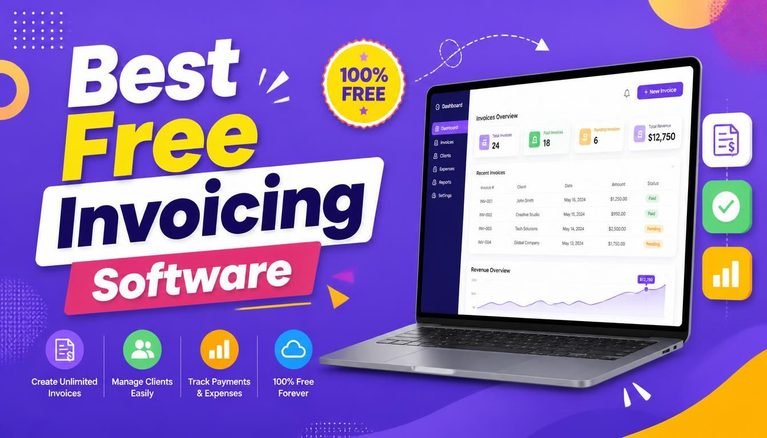
To streamline your billing workflow, explore our curated list of the Best Free Invoicing Software Tools for Freelancers and Small Businesses in 2026.
4. Monitor Accounts Receivable and Automate Payment Reminders
Revenue recorded on an invoice means nothing if the money hasn’t landed in your bank account.
Set up automated email payment reminders that trigger three days before an invoice is due, on the due date, and seven days past due. If a client regularly delays payments on large projects, structure contracts around milestone payments (e.g., 50% upfront, 50% upon delivery) rather than billing everything upon completion.
5. Track Tax Deductions and Reserve Funds Monthly
As a freelancer, taxes are not automatically withheld from your income. A common trap is spending gross client payments as if it were personal income, only to face an unexpected tax bill at the end of the year.
Practice these financial habits:
- Set Aside Tax Reserves: Automatically transfer 20% to 30% of every incoming client payment into a dedicated tax savings account.
- Track Allowable Deductions: Record legitimate business expenses including web hosting, software subscriptions, domain renewals, home office setups, and professional hardware.
To protect client financial data and credentials stored across cloud accounts, review our guide on Why Cloud Security Is Essential for Startups.
6. Conduct a Monthly Cash-Flow Review
Dedicate 30 minutes at the end of each month to audit your numbers. Ask yourself:
- Which clients brought in the highest profit margins?
- Are there unused software subscriptions I can cancel?
- How much money is currently locked in overdue invoices?
- Is my current cash reserve sufficient to cover upcoming lean months?
Monthly reviews transform accounting from a reactive obligation into a proactive growth strategy.
7. Choose the Right Cloud Accounting Software
Moving away from static spreadsheets and embracing dedicated cloud software is the foundation of easy accounting for freelancers. Modern platforms connect directly to your bank feeds, auto-categorize recurring transactions, and generate real-time financial statements.
Understanding easy accounting for freelancers means selecting software that simplifies your weekly tasks rather than cluttering your workflow with enterprise-only features.
Top Cloud Accounting Platforms for Freelancers in 2026
| Software Platform | Best For | Standout Strength | Free Tier / Trial Available? |
| FreshBooks | Service freelancers | Excellent client billing & time tracking | ✅ 30-Day Free Trial |
| Wave | Solo workers on a budget | Free invoicing & basic bookkeeping | ✅ Free Core Tier |
| Zoho Books | Growing micro-businesses | Deep ecosystem integrations | ✅ Free Tier (Eligibility applies) |
| QuickBooks Self-Employed | Tax estimation & mileage | Automated quarterly tax estimates | ✅ Paid Plan (Free Trial) |
| Xero | Scaling service agencies | Unlimited users & strong bank feeds | ✅ Paid Plan (Free Trial) |
Developers and tech-savvy freelancers frequently publish open-source financial utility scripts and custom markdown tracking templates on platforms like GitHub, helping self-employed workers build tailored financial dashboards.
To discover complementary digital tools that accelerate business efficiency, read our complete overview of the Top SaaS Tools 2026.
Simple Weekly & Monthly Bookkeeping Checklist
┌─────────────────────────────────────────────────────────────┐
│                 Freelancer Accounting Workflow              │
├──────────────────┬──────────────────┬───────────────────────┤
│ Daily / Weekly   │ Monthly Audit    │ Quarterly & Yearly    │
│ • Snap receipts  │ • Reconcile bank │ • Review tax reserves │
│ • Send invoices  │ • Audit cash flow│ • Generate P&L reports│
│ • Send reminders │ • Review apps    │ • Consult tax pros    │
└──────────────────┴──────────────────┴───────────────────────┘
Weekly Routine (15 Minutes)
- [ ] Snap and upload digital photos of all physical paper receipts.
- [ ] Match bank transactions to outstanding invoices inside your accounting app.
- [ ] Review overdue invoices and issue polite payment follow-ups.
Monthly Routine (30 Minutes)
- [ ] Reconcile all business checking and credit card statements.
- [ ] Review your Profit & Loss (P&L) statement to evaluate profit margins.
- [ ] Calculate tax reserves and transfer funds into your dedicated tax account.
To maintain strict account protection across financial dashboards and payment portals, check out our tutorial on How to Create and Manage Strong Passwords.
Common Accounting Mistakes Freelancers Must Avoid
- Waiting Until Tax Season to Organize Financials: Trying to reconstruct twelve months of business transactions in a single weekend leads to missing receipts, inaccurate entries, and high stress.
- Ignoring Unpaid Invoices: Failing to establish a clear follow-up process allows late payments to disrupt your personal cash flow.
- Failing to Keep Digital Backups: Storing financial records on a single physical computer without cloud backup puts your business at risk during hardware failures.
Final Thoughts
Implementing easy accounting for freelancers comes down to consistency rather than complexity. By separating your personal assets, using cloud bookkeeping software, tracking receipts digitally, and dedicating 15 minutes a week to auditing your numbers, you build a resilient financial foundation.
Now that you know how easy accounting for freelancers works in practice, start small, organize your current income and expense channels, and leverage automated tools so you can spend less time on administration and more time doing what you do best: delivering exceptional work for your clients.
Frequently Asked Questions (FAQs)
Can freelancers manage their accounting using Excel or Google Sheets?
Yes, early-stage freelancers with only one or two clients can start with organized spreadsheets. However, dedicated cloud software becomes vastly superior as client volume grows because it automates bank reconciliation, sends recurring invoices, and generates instant tax reports.
What percentage of freelance income should be saved for taxes?
As a general benchmark, set aside 20% to 30% of your net income in a separate savings account for local and federal taxes. Exact rates depend on your local tax brackets and overall business structure.
How long should freelancers retain business financial records?
Most tax authorities require business owners to retain tax returns, income logs, and receipt records for at least 3 to 7 years. Storing digital PDF backups in secured cloud storage ensures compliance without physical paper clutter.
Share Your Experience
What is your biggest hurdle when mastering easy accounting for freelancers? Are you using dedicated accounting software, customized spreadsheets, or a combination of tools? Share your top financial tips or ask questions in the comments below!