SaaS Analytics Tools Guide: 8 Proven Best Systems in 2026

Operating a subscription software business without accurate metrics is like flying an airplane blindfolded. You might feel the engines running, but you cannot verify your altitude, heading, or fuel levels until an operational crisis occurs.
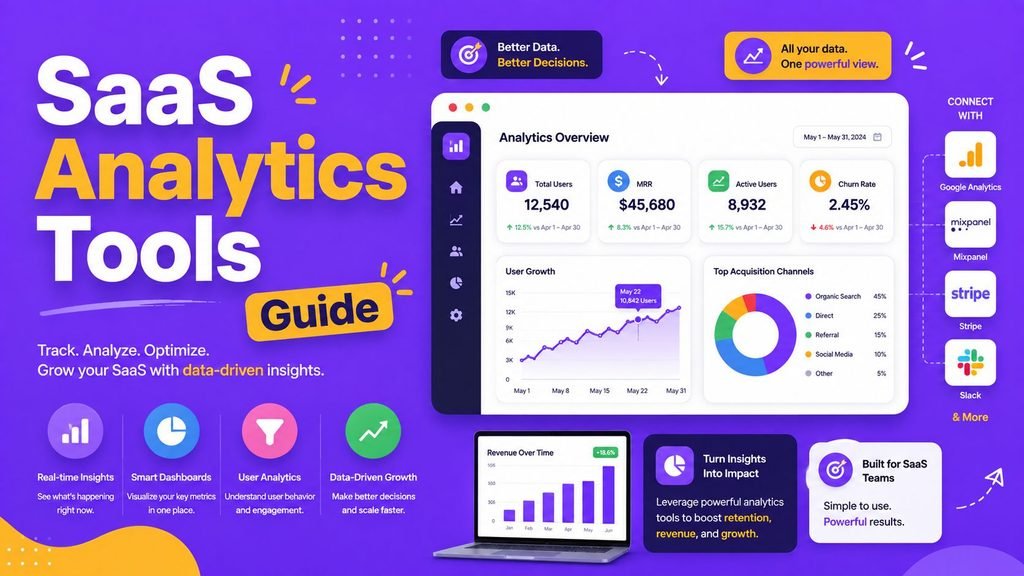
Using a comprehensive SaaS analytics tools guide is essential to understanding user behavior, tracking subscription revenues, and reducing churn.
In 2026, modern software platforms collect real-time data across every customer touchpoint—from top-of-funnel marketing visits to in-app feature adoption, upgrade triggers, and churn patterns. However, selecting the ideal analytics stack can be overwhelming because web tracking, product telemetry, and business intelligence tools solve entirely different business problems.
This practical SaaS analytics tools guide breaks down how modern analytics platforms work, compares leading software providers, highlights critical metrics to track, and helps you construct a lean, scalable data environment.
What Are SaaS Analytics Tools and Why Do They Matter?
SaaS analytics tools are cloud-hosted software applications that aggregate, process, and display user interactions and financial data for subscription-based businesses.
Unlike basic e-commerce or content sites, subscription software companies depend on long-term user retention. Acquiring a user is only the beginning; keeping that customer active month after month determines whether your business succeeds or fails.
┌─────────────────────────────────────────────────────────────┐
│               Modern SaaS Data Pipeline Flow                │
├──────────────────┬──────────────────┬───────────────────────┤
│ Web Analytics    │ Product Telemetry│ Revenue & Billing     │
│ (Traffic Sources)│ (In-App Features)│ (MRR, Upgrades, Churn)│
└──────────────────┴──────────────────┴───────────────────────┘
A well-structured platform from this SaaS analytics tools guide provides answers to critical questions:
- Which specific acquisition channels deliver long-term, high-value users?
- Where do new trial users drop out during the onboarding funnel?
- Which specific in-app features drive long-term account retention?
- What is our real Monthly Recurring Revenue (MRR) and customer churn rate?
Understanding these operational metrics allows startups, product managers, and growth marketers to make confident, data-driven decisions.
The 3 Core Categories of SaaS Analytics
A common mistake founders make when reading a SaaS analytics tools guide is expecting a single software tool to measure every part of their business. Modern data architectures divide analytics into three distinct pillars:
1. Web Analytics (Top-of-Funnel Marketing)
Web analytics measures public website traffic, marketing campaign performance, referral links, and initial landing page conversion rates. It tracks how anonymous visitors discover your site and convert into trial sign-ups.
2. Product Analytics (In-App User Behavior)
Product analytics tracks what authenticated users do inside your software application. It logs individual event actions—such as button clicks, file uploads, feature toggles, and workspace invites—to help product teams optimize activation and retention.
3. Revenue & Business Intelligence (Financial Metrics)
Revenue analytics syncs directly with payment gateways (like Stripe or Chargebee) to measure recurring financial health. It tracks subscription upgrades, downgrades, cancellations, failed payments, and customer lifetime value (LTV).
Top 6 Platforms Reviewed in Our SaaS Analytics Tools Guide
Selecting software from this SaaS analytics tools guide requires matching platform capabilities with your engineering resources, user volume, and primary analytical goals. Below are the top six options for 2026.
1. PostHog — Best All-in-One Developer and Product Platform
PostHog has become a favorite among engineering-led startups because it combines product analytics, session replays, feature flags, A/B testing, and user feedback surveys into a single open-source ecosystem.
Key Strengths:
- Unified product suite eliminating the need for multiple tracking plugins
- Session replays to watch real user navigation and identify UI friction points
- Feature flag management to roll out updates safely to specific user cohorts
- Transparent usage-based pricing with generous free monthly event quotas
Best For: Developer-led startups and technical product teams seeking an all-in-one platform.
2. Amplitude — Best for Advanced Behavioral Analytics
Amplitude is an enterprise-grade product analytics platform built for deep behavioral analysis, complex user journey mapping, and predictive machine learning insights.
Key Strengths:
- Sophisticated funnel conversion analysis across multi-step user paths
- Advanced cohort segmentation to isolate high-retention user groups
- Behavioral experimentation tools to measure the direct impact of feature releases
Best For: Mid-sized to enterprise product teams requiring deep behavioral modeling.
3. Mixpanel — Best for Focused Funnel and Retention Tracking
Mixpanel is a premier event-based product analytics tool renowned for its intuitive interface, fast query speeds, and clear visual reports on funnels and user retention.
Key Strengths:
- Highly intuitive drag-and-drop interface requiring minimal data engineering expertise
- Excellent funnel visualization mapping drop-offs step-by-step
- Interactive cohort retention charts that track user return rates over weekly cycles
Best For: Growth marketers, UX designers, and product managers prioritizing retention analytics.
4. Heap — Best for Automated Capture and Low-Maintenance Setup
Heap differentiates itself by automatically capturing every web and app interaction (clicks, pageviews, form fills) from the moment you install its tracking snippet—without requiring manual event coding up front.
Key Strengths:
- Retroactive data analysis allowing you to analyze past user events without pre-tagging code
- Autocapture technology drastically reducing initial developer setup time
- Effortless funnel creation using automatically recorded visual interactions
Best For: Agile product teams wanting comprehensive user data without heavy manual instrumentation.
5. Google Analytics 4 (GA4) — Best for Marketing and Web Traffic
Google Analytics 4 remains the global standard for tracking public website traffic, Google Ads campaigns, organic search referrals, and initial landing page conversions.
Key Strengths:
- Industry-standard web traffic, user acquisition, and geographic reporting
- Seamless integration with Google Ads and Search Console performance dashboards
- Completely free tier suitable for websites of any scale
Best For: Marketing teams focusing on top-of-funnel acquisition channels. (Note: GA4 should complement, not replace, dedicated in-app product analytics).
6. Metabase — Best for Accessible Business Intelligence
Metabase is a user-friendly business intelligence (BI) platform that connects directly to your SQL databases, enabling non-technical team members to build interactive visual dashboards easily.
Key Strengths:
- Visual query builder allowing team members to ask data questions without writing SQL
- Customizable company dashboards consolidating sales, billing, and usage metrics
- Flexible open-source self-hosting options for full control over data privacy
Best For: Founders and operations teams needing custom business reporting across internal databases.
Developers looking to implement open-source analytics instrumentation or deploy self-hosted tracking instances routinely access configuration scripts on GitHub.
Comparison Table: Top SaaS Analytics Tools
| Analytics Platform | Primary Category | Standout Capability | Technical Setup |
| PostHog | Product All-in-One | Session replays + feature flags | Moderate |
| Amplitude | Behavioral Product | Deep ML user journey analysis | High |
| Mixpanel | Product / Funnels | Ultra-fast funnel & retention reports | Moderate |
| Heap | Autocapture Product | Retroactive event tracking without coding | Low |
| Google Analytics 4 | Web / Marketing | Organic traffic & ad campaign sync | Low |
| Metabase | Business Intelligence | Visual SQL query builder & BI boards | High (Database) |
Critical SaaS Metrics Covered in This SaaS Analytics Tools Guide
Selecting software from this SaaS analytics tools guide is only useful if you track metrics that drive real business growth. Focus on these core Key Performance Indicators (KPIs):
┌─────────────────────────────────────────────────────────────┐
│                 Core SaaS Health Metrics                    │
├─────────────────────────────────────────────────────────────┤
│ • Monthly Recurring Revenue (MRR)                           │
│ • User Activation Rate (% hitting first "Aha!" moment)      │
│ • User & Revenue Churn (% accounts canceling monthly)       │
│ • Customer Lifetime Value vs. Acquisition Cost (LTV:CAC)    │
└─────────────────────────────────────────────────────────────┘
- Monthly Recurring Revenue (MRR): The predictable monthly subscription income generated by active accounts.
- Customer Churn Rate: The percentage of paying subscribers who cancel or fail to renew their contracts within a given billing period.
- Activation Rate: The percentage of newly registered users who complete a specific “milestone action” that delivers immediate value (e.g., launching their first campaign).
- Cohort Retention: The percentage of users from a specific sign-up group who continue logging into the application over 30, 60, and 90-day intervals.
How to Choose and Secure Your Analytics Infrastructure
Selecting software using this SaaS analytics tools guide requires aligning platform capabilities with your privacy standards and infrastructure costs.
1. Protect User Data and Maintain Cloud Compliance
Analytics platforms capture personal identifiers, IP addresses, and user behavior logs. Protecting this information is crucial for maintaining privacy standards and user trust.
Security recommendations published by the Cybersecurity and Infrastructure Security Agency (CISA) emphasize enforcing strict authentication rules and access controls on third-party data portals.
When configuring platforms from this SaaS analytics tools guide, apply these security rules:
- Enforce Multi-Factor Authentication (MFA) across all team accounts accessing analytics dashboards.
- Apply Role-Based Access Control (RBAC) so sensitive revenue data is restricted to authorized executives.
- Secure administrative accounts using encrypted password managers. Read our guide on How to Create and Manage Strong Passwords.
For broader guidelines on protecting cloud ecosystems, check out our tutorial on Easy SaaS Security Rules.
2. Evaluate Event Volume and Pricing Tiers
Most product analytics vendors charge based on “Monthly Tracked Users” (MTUs) or total “Event Volume” (every click or pageview logged).
Before committing to a plan:
- Audit your average monthly event volume (e.g., 1,000 users × 100 actions = 100,000 monthly events).
- Verify pricing increases as your user base expands. Learn how subscription models scale in our Simple SaaS Pricing Guide.
For a complete framework on evaluating vendor contracts, review our step-by-step guide on How to Choose Software.
To review curated software suites that accelerate general business operations, explore our guide on the Top SaaS Tools 2026.
Practical Checklist for Constructing Your Analytics Stack
- [ ] Define Key Metrics: Identify the top 3 business questions you need your data to answer today.
- [ ] Separate Tracking: Use web analytics for marketing and dedicated product analytics for in-app behavior.
- [ ] Standardize Event Naming: Establish clear event naming conventions (e.g.,
button_clicked_signup) before deploying code. - [ ] Restrict Dashboard Access: Limit administrative permissions to authorized personnel only.
- [ ] Audit Data Accuracy: Periodically verify that tracked events match database records to prevent reporting errors.
Final Thoughts
Following a structured SaaS analytics tools guide enables you to build an efficient analytics stack without overcomplicating your technical infrastructure. Start with a lean data pipeline: use web analytics to measure marketing traffic, deploy a dedicated product tool like PostHog or Mixpanel to optimize user activation, and sync billing data to monitor MRR and churn.
By focusing on accurate tracking, enforcing strict cloud security permissions, and continually reviewing user retention metrics, you can make informed decisions that drive sustainable subscription growth.
Frequently Asked Questions (FAQs)
What is the primary focus of this SaaS analytics tools guide?
This SaaS analytics tools guide focuses on helping subscription businesses choose the right analytics software by comparing web, product behavioral, and revenue analytics platforms.
Is Google Analytics 4 enough to run a SaaS business?
No. Google Analytics 4 is excellent for top-of-funnel marketing traffic, but it lacks the granular event tracking, session replays, and cohort retention tools required to analyze complex in-app user behavior.
What is the difference between web analytics and product analytics?
Web analytics measures anonymous visitor traffic and acquisition channels on public websites. Product analytics tracks authenticated user actions, feature adoption, and retention funnels inside a cloud application.
Share Your Experience
Which platforms from this SaaS analytics tools guide do you rely on to manage your business operations? Have you built product dashboards in PostHog, mapped funnels in Mixpanel, or created custom BI boards in Metabase? Share your thoughts, questions, or favorite metrics in the comments below!