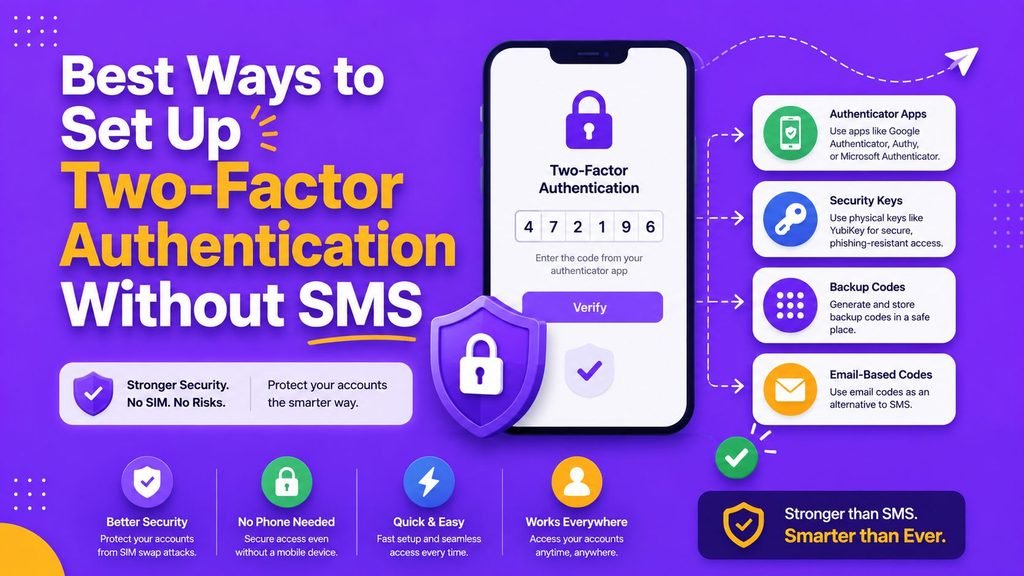
10 Best Ways to Set Up Two-Factor Authentication Without SMS (2026)

Passwords remain the primary entry barrier for protecting online accounts across the modern internet, but relying on text-based credentials alone is no longer a viable security posture. Even extremely complex, length-optimized passphrases can be intercepted through targeted social engineering, automated credential-stuffing bots, unexpected enterprise database breaches, or silent keylogging malware running on unpatched devices.
Learning how to set up two-factor authentication using modern hardware tokens, physical cryptographic keys, and time-based authenticator applications is an indispensable foundation for personal privacy and corporate digital infrastructure defense.
In 2026, text message (SMS) verification codes are increasingly recognized as a significant vulnerability within digital authentication workflows. Cellular transmission channels suffer from inherent protocol flaws, making SMS codes vulnerable to SIM-swapping fraud, Signaling System No. 7 (SS7) interception, and remote man-in-the-middle (MitM) phishing proxies. To establish resilient, phishing-resistant access controls, modern consumer platforms and enterprise identity architectures allow users to set up two-factor authentication via FIDO2 passkeys, time-based one-time password (TOTP) applications, and physical hardware security keys.
This comprehensive, long-form guide details how to set up two-factor authentication without relying on SMS text messages, evaluates non-SMS authentication tokens, outlines bulletproof account recovery strategies, analyzes enterprise compliance standards, and provides a step-by-step implementation roadmap.
Why You Must Eliminate SMS-Based Authentication
To understand why global cybersecurity agencies strongly advise against phone-based SMS verification codes when you set up two-factor authentication, security teams must evaluate the underlying vulnerabilities of mobile carrier infrastructure:
┌─────────────────────────────────────────────────────────────┐
│                 SMS Interception Vectors                    │
├──────────────────┬──────────────────┬───────────────────────┤
│ SIM-Swapping     │ SS7 Interception │ Social Engineering    │
│ Carrier Fraud    │ Network Exploits │ Phishing Proxies      │
└──────────────────┴──────────────────┴───────────────────────┘
- SIM-Swapping Attacks: Cybercriminals utilize social engineering tactics or bribe internal telecom employees to transfer a victim’s mobile phone number onto an attacker-controlled SIM card. Once transferred, all incoming SMS verification codes route directly to the attacker’s device.
- SS7 Protocol Vulnerabilities: The Signaling System No. 7 (SS7) network protocol, which handles global cellular routing, lacks modern cryptographic authentication. Sophisticated threat actors can intercept SMS messages in transit across international telecommunication boundaries.
- Man-in-the-Middle (MitM) Reverse Proxies: Modern automated phishing kits (such as Evilginx) intercept incoming SMS one-time passcodes in real-time as users type them into fraudulent login portals, capturing both the password and the temporary SMS code instantly.
- Cellular Coverage Dependencies: SMS-based authentication fails entirely when users travel internationally without active roaming agreements, leaving legitimate users locked out of critical accounts.
Official cybersecurity guidelines published by the Cybersecurity and Infrastructure Security Agency (CISA) and the National Institute of Standards and Technology (NIST) explicitly classify SMS authentication as a restricted, weak authentication factor, urging organizations to transition to phishing-resistant multi-factor standards.
Technical Deep-Dive: How Non-SMS Authentication Works
When you move away from cellular text messages and decide to set up two-factor authentication using modern protocols, your authentication flows rely on localized cryptographic algorithms rather than unencrypted cellular broadcasts.
┌─────────────────────────────────────────────────────────────┐
│                 Non-SMS Authentication Pipeline             │
├──────────────────┬──────────────────┬───────────────────────┤
│ Login Request    │ Local Hardware / │ Cryptographic Access  │
│ (Password / Key) │ App Challenge    │ Approval (No SMS)     │
└──────────────────┴──────────────────┴───────────────────────┘
Time-Based One-Time Passwords (TOTP – RFC 6238)
TOTP authenticator applications use an open cryptographic standard. During initial setup, the server generates a shared secret key (represented visually as a QR code). Both your local authenticator app and the server combine this secret key with the current Unix timestamp (divided into 30-second windows) using a cryptographic hash function (HMAC-SHA1). Because both systems share the same key and time, they generate identical 6-digit codes simultaneously without communicating over a network.
FIDO2 and WebAuthn Frameworks
FIDO2 (Fast Identity Online) represents the pinnacle of modern access security. It utilizes asymmetric public-key cryptography. When you set up two-factor authentication using a passkey or hardware key:
- Your local device generates a unique cryptographic key pair: a Private Key (stored securely inside your device’s hardware enclave) and a Public Key (sent to the website server).
- During login, the server sends a unique cryptographic challenge.
- Your device signs the challenge using its internal Private Key only after you verify your physical presence via biometric scanning (fingerprint/facial recognition) or a physical button press.
- The server verifies the signature using the stored Public Key. The Private Key never leaves your local hardware, making it impossible to phish remotely.
Developers configuring custom multi-factor security frameworks or auditing open-source cryptographic libraries routinely reference verified code implementations on GitHub.
The 4 Best Non-SMS Authentication Methods Compared
When evaluating alternative technologies to set up two-factor authentication across personal and corporate platforms, prioritize these four secure options:
1. FIDO2 Passkeys
Passkeys represent the modern replacement for traditional passwords and legacy 2FA. Managed seamlessly through operating systems (Apple iCloud Keychain, Google Password Manager, Windows Hello) or cross-platform password managers like Bitwarden and 1Password, passkeys provide instant, biometrically validated, phishing-resistant logins.
2. Time-Based Authenticator Apps (TOTP)
Standology applications such as Google Authenticator, Microsoft Authenticator, Aegis (Android open-source), or 2FAS generate dynamic, 6-digit verification codes every 30 seconds directly on your hardware device. They function completely offline without requiring internet connectivity or mobile carrier signals.
3. Hardware Security Keys
Physical USB-C, Lightning, and NFC security keys (such as Yubico YubiKeys or Google Titan Keys) offer maximum physical boundary security. To authenticate, you insert or tap the physical token against your device and press its physical contact pad, proving local presence and preventing automated remote attacks.
4. Push Notification Approvals
Mobile push prompts trigger an interactive notification on your smartphone screen. Modern implementations enforce number-matching verification, forcing users to enter a two-digit number displayed on their login monitor into their phone screen, preventing accidental “push-fatigue” approvals.
Comprehensive Feature Comparison Table
| Verification Method | Phishing Resistance | Setup Complexity | Offline Functionality | Cellular Required? | Overall Security Rating |
| FIDO2 Passkeys | Absolute (Phishing-Proof) | Extremely Low | Full Offline Access | No | Enterprise Elite |
| Hardware Keys (YubiKey) | Absolute (Phishing-Proof) | Low to Medium | Full Offline Access | No | Enterprise Elite |
| Authenticator Apps (TOTP) | High (Requires Vigilance) | Low | Full Offline Access | No | Very Strong |
| Push Approvals (Matching) | Medium to High | Very Low | Network Required | No (Uses Wi-Fi/Data) | Strong |
| SMS Text Messages | Extremely Low (Vulnerable) | Very Low | Cell Signal Needed | Yes | Legacy / Weak |
10 Best Ways to Set Up Two-Factor Authentication Across Your Digital Life
To completely overhaul your digital identity perimeter and eliminate SMS dependencies, execute these ten operational security steps:
- Secure Your Master Primary Email First: Your email inbox is the central key to your entire digital identity because all password reset links route to it. Immediately set up two-factor authentication on your primary email using a hardware security key or passkey.
- Protect Your Central Password Vault: Secure your stored credentials inside a dedicated password manager protected by a master passphrase and a physical FIDO2 key. Learn baseline credential management in our guide on How to Create and Manage Strong Passwords.
- Hardening Remote Workstation Endpoints: Extend non-SMS access rules to operating system user accounts and remote management tools. Read our endpoint checklist on Simple Cybersecurity Tips.
- Defend Remote Team Portals Against Phishing Traps: Educate staff to recognize reverse-proxy credential phishing pages. Review our in-depth tutorial on 10 Best Ways to Spot Advanced Email Phishing Scams.
- Protect Enterprise Infrastructure Boundaries: Integrate non-SMS MFA solutions directly into perimeter network firewalls. Read our infrastructure guide on 10 Best Ways Next Generation Firewall Protects Networks in 2026.
- Enforce Zero Trust Identity Controls: Replace perimeter trust with identity-driven, continuous-verification access models. Read our comprehensive guide on 10 Best Ways for Zero Trust Architecture Implementation in 2026.
- Secure Core Network Gateways: Establish baseline perimeter boundaries following modern network standards outlined in our overview of Network Security Basics.
- Enforce Multi-Factor Access Rules for Cloud Apps: Apply centralized SSO and non-SMS authentication rules across third-party cloud tools using our guide on Easy SaaS Security Rules.
- Audit Internal Application Service APIs: Secure backend service-to-service data pipelines using modern access tokens as described in our framework on How Software Integration Works.
- Safeguard Emergency Backup Recovery Codes: When you set up two-factor authentication on any account, immediately save the provided single-use offline recovery codes inside an encrypted, offline vault or a physically locked safe.
Advanced Account Recovery & Anti-Lockout Protocols
One major concern users express when deciding to set up two-factor authentication without SMS is the fear of permanent account lockout if their mobile phone is lost, stolen, or damaged. Following a structured backup strategy completely eliminates this risk:
┌─────────────────────────────────────────────────────────────┐
│              Multi-Tier Account Recovery Plan               │
├──────────────────┬──────────────────┬───────────────────────┤
│ Tier 1: Primary  │ Tier 2: Backup   │ Tier 3: Offline       │
│ Passkey / Key    │ Hardware Key     │ Recovery Codes        │
└──────────────────┴──────────────────┴───────────────────────┘
- Register Secondary Hardware Keys: Always register at least two physical security keys on critical accounts (e.g., one primary key on your key ring and one backup key stored securely at home).
- Encrypted Authenticator App Backups: Utilize open-source authenticator applications that support local, client-side encrypted cloud backups (such as Aegis or Bitwarden Authenticator) so you can restore your 2FA seeds instantly on a replacement device.
- Physical Storage of Recovery Codes: Treat one-time recovery codes with the same level of security as cash. Print them out, place them in a fireproof document bag, or store them in an offline, password-protected vault. Never store unencrypted recovery codes in plain text files or email drafts.
Vetting Enterprise Security Tools and Password Managers
Selecting software suites and authentication tokens to set up two-factor authentication requires systematic evaluation of technical standards and pricing tiers.
┌─────────────────────────────────────────────────────────────┐
│             Security Token Vetting Checklist                │
├─────────────────────────────────────────────────────────────┤
│ 1. Verify FIDO2 / WebAuthn level 2 certification compliance │
│ 2. Confirm cross-platform support (USB-C, Lightning, NFC)   │
│ 3. Review total license pricing against team seat limits    │
└─────────────────────────────────────────────────────────────┘
To evaluate software management platforms before business-wide adoption, consult our decision framework on How to Choose Software.
To compare subscription models for enterprise password managers and MFA identity providers, check our Simple SaaS Pricing Guide.
To review top-rated identity management suites for remote teams, read our detailed analysis on the Top SaaS Tools 2026.
7-Day Actionable Roadmap to Eliminate SMS 2FA
Transforming your security posture does not have to happen overnight. Follow this structured 7-day schedule to systematically migrate your accounts away from SMS:
- Day 1: Audit Primary Email and Password Manager. Enable passkeys or an authenticator app on your primary email inbox and master password vault.
- Day 2: Secure Financial and Banking Portals. Log into your primary banking, investment, and payment processor accounts to replace SMS text verification with authenticator apps or hardware keys where supported.
- Day 3: Harden Work and Productivity Platforms. Apply non-SMS MFA rules across Google Workspace, Microsoft 365, Slack, and corporate cloud resources.
- Day 4: Update Social Media Identity Portals. Migrate accounts on LinkedIn, X (Twitter), Facebook, and Instagram to authenticator app tokens.
- Day 5: Secure Cloud Storage and Code Repositories. Protect GitHub, AWS, Google Drive, and Dropbox accounts using FIDO2 keys or passkeys.
- Day 6: Organize Offline Recovery Backups. Print or secure emergency recovery codes for all updated accounts inside an encrypted vault.
- Day 7: Final Audit and SMS Removal. Remove saved mobile phone numbers from authentication preferences on accounts that offer pure non-SMS login configurations.
Final Thoughts
Deciding to set up two-factor authentication without relying on SMS text messages is one of the most impactful, high-return actions you can take to harden your digital life in 2026. By shifting your trust away from vulnerable cellular routing protocols and embracing FIDO2 passkeys, physical security keys, and offline authenticator applications, you effectively neutralize remote phishing campaigns, SIM-swapping fraud, and credential theft attacks.
Start today: audit your primary email account, generate encrypted offline recovery backups, and transition your high-value digital assets to non-SMS multi-factor protection.
Frequently Asked Questions (FAQs)
Why is setting up two-factor authentication without SMS better than text codes?
SMS codes travel across unencrypted cellular networks and can be intercepted via SIM-swapping scams, SS7 vulnerabilities, or real-time reverse-proxy phishing sites. Authenticator apps and FIDO2 passkeys operate locally on hardware, offering near-immunity to remote network interception.
What happens if I lose my phone after I set up two-factor authentication with an app?
If you lose your device, you can regain access using offline emergency recovery codes generated during initial setup, restoring an encrypted authenticator app backup from cloud storage, or using a secondary physical backup security key registered to your account.
Are passkeys safer than traditional master passwords?
Yes. Passkeys rely on asymmetric public-key cryptography tied directly to your physical device hardware and biometric verification. Because the private key never leaves your local device, passkeys cannot be stolen in server-side database breaches or phished through fake login websites.
Can I use one authenticator app for all my personal accounts?
Yes. Time-based authenticator apps use open RFC standards (TOTP), allowing a single app (like Google Authenticator, Bitwarden, or Aegis) to generate login codes for hundreds of different websites seamlessly.
Should I completely remove my phone number from online accounts?
Not always. While you should disable SMS as your primary 2FA method, leaving a verified phone number attached can sometimes assist with non-critical account notifications or secondary account recovery workflows depending on the platform’s security architecture.
Share Your Experience
Have you migrated your online accounts away from SMS verification codes? Do you prefer using biometrically secured passkeys, physical YubiKeys, or offline authenticator apps? Share your experiences, setups, and security questions in the comments below!