10 Best Ways to Spot Advanced Email Phishing Scams in 2026

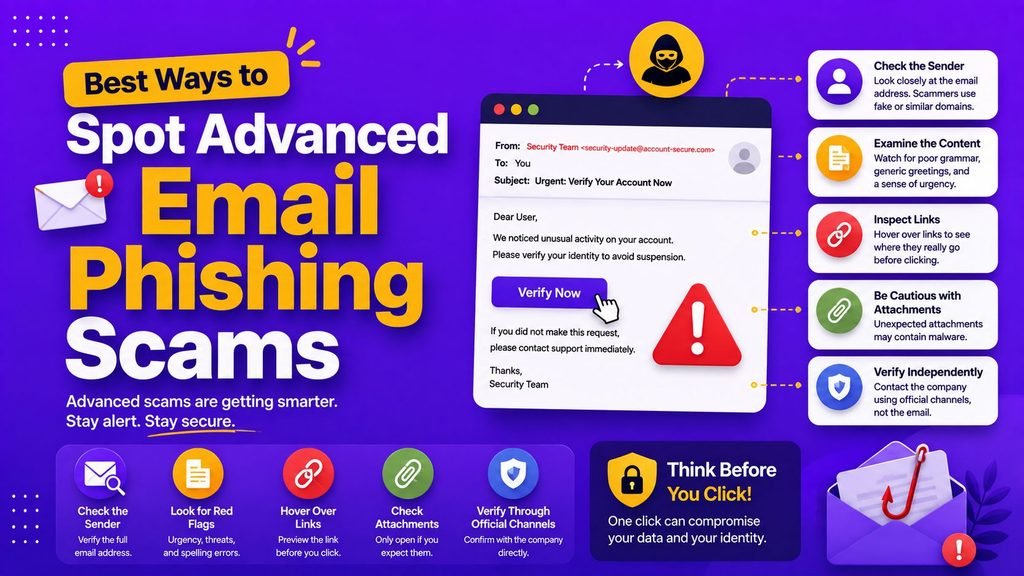
Email deception has evolved far beyond obvious Nigerian prince wire transfers or broken grammar notices. Today’s cybercriminals use AI language models, authentic company branding, personalized employee details, and high-urgency scenarios to build convincing social engineering traps.
Learning how to spot advanced email phishing scams in their modern form is critical for protecting personal identities, corporate networks, and financial assets.
In 2026, malicious email campaigns specifically target remote workers, small business owners, and corporate finance teams. Rather than attempting to break through hardened network firewalls directly, attackers trick users into revealing valid credentials or executing fraudulent transactions voluntarily.
This comprehensive guide shows you how to spot advanced email phishing scams, analyzes real-life scam examples, outlines ten warning signs of advanced email deception, and provides actionable protection strategies.
What Is Advanced Email Deception?
To defend against digital deception, you must first understand how modern attacks operate.
Phishing is a social engineering attack where bad actors impersonate trusted institutions, clients, vendors, or executive managers to trick victims into taking unsafe actions.
┌─────────────────────────────────────────────────────────────┐
│                 Phishing Attack Lifecycle                   │
├──────────────────┬──────────────────┬───────────────────────┤
│ Deceptive Email  │ Fake Portal      │ Credential Theft /    │
│ (Fake Urgency)   │ (Harvests Login) │ Account Takeover      │
└──────────────────┴──────────────────┴───────────────────────┘
When learning how to spot advanced email phishing scams, security frameworks divide attacks into distinct sophistication tiers:
- Mass Phishing: Generic broadcast emails targeting thousands of users simultaneously with fake bank alerts or lottery wins.
- Spear Phishing: Highly customized attacks tailored to a specific individual using real client names, ongoing project details, or public social media data.
- Whaling: Executive-targeted spear phishing designed to compromise high-level corporate administrators or authorize wire transfers.
- Clone Phishing: Duplicating a legitimate past email communication and swapping real attachments or links with malicious payloads.
Official threat guidance published by the Cybersecurity and Infrastructure Security Agency (CISA) highlights that deceptive credential harvesting remains the primary entry point for corporate network breaches globally.
Real-Life Examples of Advanced Email Phishing in 2026
Analyzing real-world scenarios helps you spot advanced email phishing scams in your daily workplace routines:
Example 1: The Fake Shared Document Notice
You receive an email notification stating a client shared an urgent project scope document on Google Drive or OneDrive. The email template mirrors official vendor styling. Clicking the link opens a fake login screen designed to steal your credentials.
Example 2: The Urgent Supplier Invoice Change
A remote worker receives an email from an established supplier requesting an updated wire transfer payment method for an outstanding invoice. The email domain address differs by only a single character from the real vendor domain.
Example 3: The Fake Security Account Lockout
An automated security notice claims your corporate email password will expire within two hours due to suspicious login attempts. The email provides a direct link to a malicious password reset form.
Developers building email verification scripts or testing phishing detection algorithms routinely inspect open-source threat intelligence repositories on GitHub.
10 Red Flags to Spot Advanced Email Phishing Scams
To improve your threat awareness, evaluate every incoming email against these ten operational red flags to spot advanced email phishing scams:
- Artificially Manufactured Urgency: Demands immediate payment or password updates within short timeframes to prevent logical evaluation.
- Sender Domain Lookalikes: Display names match trusted vendors, but the underlying domain uses slight typos (e.g.,
micros0ft.cominstead ofmicrosoft.com). - Mismatched Link Destinations: Hovering over a hyperlink reveals a destination domain completely unrelated to the sender’s organization.
- Requests for Sensitive Credentials: Unsolicited requests for account passwords, 2FA codes, or banking PINs.
- Unexpected Email Attachments: Unsolicited
.zip,.exe, or macro-enabled.docfiles sent under the guise of invoices or contracts. - Inconsistent Communication Tone: Familiar contacts suddenly using overly formal, generic, or unusual language.
- Unusual Payment Instructions: Sudden requests to bypass standard approval channels or wire funds to unverified bank accounts.
- Personalized Public Data Snippets: Citing public information (like your job title or recent company posts) to manufacture artificial trust.
- Fake Verification Prompts: Websites prompting you to paste custom terminal scripts or execute system commands under the guise of running a CAPTCHA test.
- Unexpected Account Password Resets: Receiving password reset tokens for accounts you did not request.
The STOP Verification Method for Suspicious Emails
When an email triggers suspicion, apply the STOP Verification Method to spot advanced email phishing scams before clicking links or downloading files:
┌─────────────────────────────────────────────────────────────┐
│                 The STOP Verification Method                │
├─────────────────────────────────────────────────────────────┤
│ S ── Stop: Pause immediately; do not click any links.       │
│ T ── Think: Was I expecting this message or invoice?        │
│ O ── Open Independently: Access the service via browser.    │
│ P ── Prove Authenticity: Contact sender via verified phone. │
└─────────────────────────────────────────────────────────────┘
Comparison Table: Basic vs. Advanced Phishing Tactics
| Attack Feature | Basic Phishing Tactics | Advanced Phishing Tactics |
| Messaging Focus | Generic mass broadcasts | Highly personalized & context-aware |
| Language & Grammar | Frequent spelling errors | Professional, AI-assisted grammar |
| Visual Design | Plain text or distorted logos | Pixel-perfect vendor templates |
| Link Destination | Suspicious raw IP addresses | Spoofed domains & fake cloud portals |
| Primary Goal | Direct financial theft | Credential harvesting & network access |
10 Essential Rules for Phishing Defense
Incorporate these proactive security habits to shield your workstation and personal accounts from email exploitation:
- Deploy Multi-Factor Authentication (MFA): Secondary verification blocks attackers even if your password is compromised. Follow setup steps in our guide on How to Set Up Two-Factor Authentication.
- Use Password Vaults: Generate long, distinct passphrases for every account. Read our guide on How to Create and Manage Strong Passwords.
- Inspect Perimeter Email Filters: Ensure inbound emails pass SPF, DKIM, and DMARC checks. Learn more in our overview of Network Security Basics.
- Harden Remote Work Environments: Protect home offices with our guide on Simple Cybersecurity Tips.
- Verify Requests Across Out-of-Band Channels: Call senders directly using known phone numbers to confirm unexpected financial requests.
- Adopt Zero Trust Architecture: Never trust incoming emails based solely on sender display names. Explore our framework on What Is Zero Trust.
- Secure Background API Pipelines: Ensure third-party app integrations use verified tokens. Read our guide on How Software Integration Works.
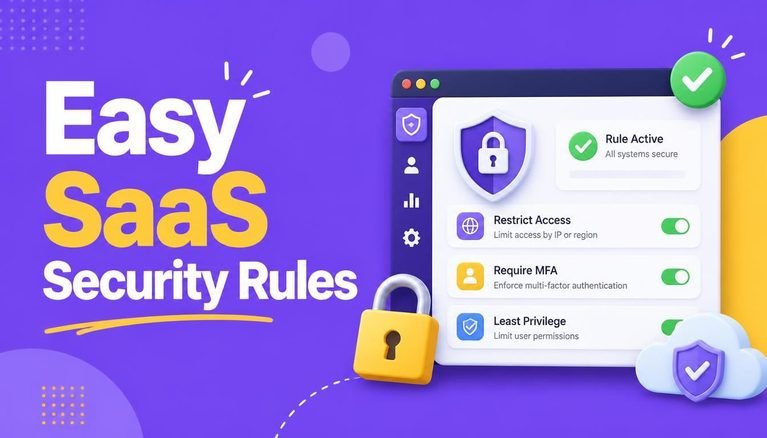
- Enforce SaaS Security Policies: Restrict unauthorized third-party apps across your team. Review our checklist on Easy SaaS Security Rules.
- Layer Perimeter Controls: Pair identity verification with network firewalls. Read our analysis on How Firewalls Work.
- Never Share OTP Verification Codes: Support representatives will never ask for single-use login codes via email or phone.
Vetting Security Software for Enterprise Phishing Protection
Organizations looking to spot advanced email phishing scams should establish clear selection parameters for anti-phishing software tools.
┌─────────────────────────────────────────────────────────────┐
│                 Phishing Tool Vetting Checklist             │
├─────────────────────────────────────────────────────────────┤
│ 1. Verify support for real-time link sandbox analysis       │
│ 2. Audit inbound DMARC enforcement and reporting features   │
│ 3. Confirm integration with current identity providers      │
│ 4. Review subscription pricing tiers against team size      │
└─────────────────────────────────────────────────────────────┘
Before subscribing to enterprise security platforms, consult our selection framework on How to Choose Software.
To evaluate software subscription costs across cloud security vendors, check our Simple SaaS Pricing Guide.
To explore curated security platforms, read our analysis on the Top SaaS Tools 2026.
What to Do If You Click a Phishing Link
If you accidentally click a link or enter credentials on a deceptive website, take these immediate recovery steps:
- Change Compromised Passwords Immediately: Access the official service directly through a clean browser window and reset your credentials.
- Revoke Active User Sessions: Use account security dashboards to terminate all active logins across other devices.
- Report to IT Security Teams: Alert your internal network administrator or IT helpdesk immediately to monitor for anomalous network traffic.
- Scan Devices for Malware: Run a full endpoint security scan if you downloaded unexpected file attachments.
Final Thoughts
Knowing how to spot advanced email phishing scams in their modern, highly targeted form enables you to inspect incoming communications critically. By verifying sender domains, hovering over link destinations, enforcing Multi-Factor Authentication, and confirming unexpected requests out-of-band, you establish a strong line of defense against cyber deception in 2026.
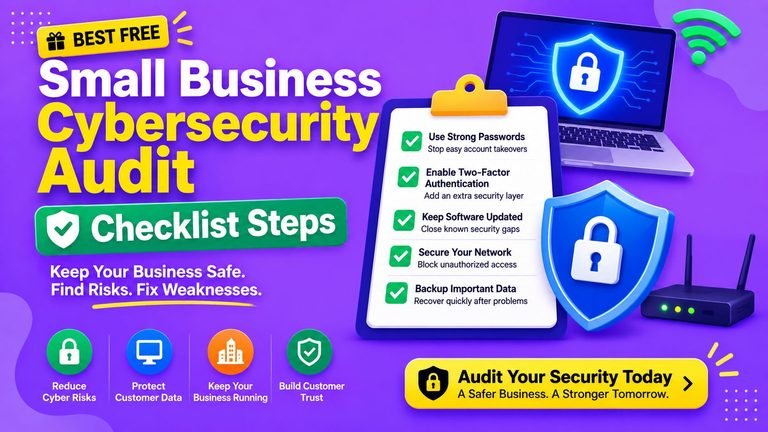
Start today: audit your active accounts, enable 2FA on primary email hubs, and share these threat awareness tips with your team members.
Frequently Asked Questions (FAQs)
What is the easiest way to spot advanced email phishing scams?
The easiest way to spot advanced email phishing scams is by inspecting the sender’s actual email domain address, checking for mismatched link URLs, and questioning any message demanding immediate, urgent action.
Can opening a phishing email infect your computer?
Simply opening a plain-text email is generally safe. However, clicking malicious links within the email or downloading unexpected file attachments can install malware, spyware, or ransomware on your device.
What should you do if an email from a known client asks for urgent payment updates?
Always verify unexpected payment requests using an out-of-band communication channel—such as calling your client directly on a known, verified phone number—before executing any transaction.
Share Your Experience
Have you ever encountered a surprisingly realistic phishing email? What red flag helped you catch the scam before taking action? Share your experiences and security tips in the comments below!

One Comment