Threat Intelligence Basics: How Businesses Predict Cyber Attacks

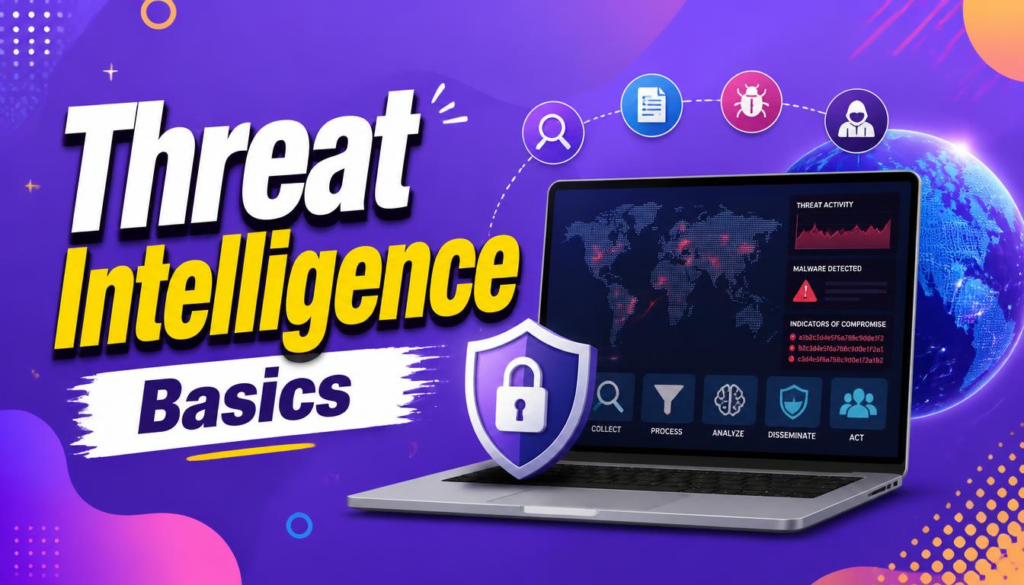
Cyber attacks are no longer limited to obvious threats such as viruses or suspicious emails. Modern attackers may spend weeks or months researching organizations, identifying weaknesses, stealing credentials, and planning how to exploit vulnerable systems.
This is where understanding threat intelligence basics becomes extremely valuable.
Instead of waiting for an attack and then responding, businesses can collect and analyze information about potential threats before they cause serious damage. Mastering threat intelligence basics helps security teams understand who may target them, what techniques attackers use, which vulnerabilities matter most, and what warning signs to monitor.
But how does threat intelligence actually work? Can businesses really predict cyber attacks?
The answer is more nuanced than simply saying “yes.” Threat intelligence cannot predict the exact time and location of every attack. Instead, learning threat intelligence basics helps organizations make better-informed security decisions by identifying patterns, indicators, attacker behaviors, and emerging risks.
Key Takeaway: Threat intelligence turns raw, confusing security logs into actionable context—allowing security teams to move from reactive troubleshooting to proactive defense.
What Is Threat Intelligence?
At its core, threat intelligence basics center on the process of collecting, analyzing, and using information about cybersecurity threats to make better security decisions.
The raw data can come from many sources, including:
- Security logs and internal analytics
- Malware analysis and sandbox reports
- Security researchers and threat hunting teams
- Government advisories (like CISA or NCSC)
- Real-time threat intelligence feeds
- Vulnerability databases (CVE entries)
- Incident response reports
- Continuous network monitoring
- Industry organizations (ISACs)
- Internal security investigations
The goal is not simply to collect huge amounts of information. The real value of threat intelligence basics comes from turning raw data into useful, actionable intelligence.
For example, knowing that a particular malicious IP address exists may not be very useful by itself. But if security analysts discover that the address is associated with an active phishing campaign targeting companies in their exact sector, that technical detail becomes highly relevant.
For readers interested in the types of threats intelligence teams monitor, check out our detailed guide on What Is Malware and How to Completely Remove It.
How Threat Intelligence Helps Predict Cyber Attacks
When people hear the phrase “predict cyber attacks,” they may imagine a sci-fi system that tells a company exactly when hackers will attack. That is not how it works in the real world.
Instead, security teams apply threat intelligence basics to identify patterns and indicators of increased risk:
┌─────────────────────────────────────────────────────────────┐
│                 Threat Intelligence Workflow                │
├─────────────────────────────────────────────────────────────┤
│ Collect Data ──► Analyze Threats ──► Identify Patterns      │
│                     │                                       │
│                     ▼                                       │
│ Take Action  ◄── Assess Risk                                │
└─────────────────────────────────────────────────────────────┘
For example, if several companies in the same industry are targeted by a new phishing campaign, analysts using threat intelligence basics can study:
- Email header characteristics
- Sender infrastructure and host networks
- Newly registered malicious domains
- Suspicious file attachments
- Redirect URLs
- Fresh malware samples
- Specific attacker techniques (TTPs)
- Targeted corporate departments
The organization can then use this information to strengthen defenses before the exact same campaign reaches its own employees. This is why threat intelligence basics are better described as risk-informed anticipation rather than perfect prediction.
The Four Main Types of Threat Intelligence
To apply threat intelligence basics effectively, it helps to break the field down into four distinct categories. Each type answers different operational questions.
| Intelligence Type | Target Audience | Focus Area | Example Application |
| Strategic | Executives & Board | High-level trends & business impact | Allocating cybersecurity budget for 2026 |
| Tactical | SOC Analysts & Hunters | Attacker behaviors (TTPs) | Updating firewall rules to block lateral movement |
| Operational | Incident Responders | Specific active campaigns | Investigating an ongoing industry breach |
| Technical | IT Admins & Security Systems | Technical indicators (IOCs) | Ingesting malicious file hashes into EDR tools |
1. Strategic Threat Intelligence
Strategic intelligence focuses on the bigger picture. It is designed for executives, security leaders, and decision-makers who need to understand broader cybersecurity risks. It examines major threat trends, industry-specific risks, geopolitical developments, and potential financial impacts.
2. Tactical Threat Intelligence
Tactical intelligence focuses on how attackers operate—examining tactics, techniques, and procedures (TTPs). Security teams use this to understand how attackers gain initial access, escalate privileges, move laterally, steal information, and maintain persistent access.
To build an architecture designed to block these attacker maneuvers, see our guide on What Is Zero Trust Architecture.
3. Operational Threat Intelligence
Operational intelligence focuses on actionable information about specific active campaigns. It answers key questions: Who is targeting organizations right now? What infrastructure are they using? What software vulnerabilities are they exploiting?
4. Technical Threat Intelligence
Technical intelligence is highly granular, focusing on specific technical indicators like malicious IP addresses, domains, URLs, file hashes, and C2 (command-and-control) servers. While automated security tools ingest these indicators quickly, keep in mind that attackers swap out technical details constantly.
What Are Indicators of Compromise (IOCs)?
An Indicator of Compromise (IOC) is a forensic piece of digital evidence indicating that malicious activity has occurred or is currently taking place.
┌─────────────────────────────────────────────────────────────┐
│                 Common Indicators of Compromise             │
├─────────────────────────────────────────────────────────────┤
│ • Known Malicious IP Addresses                              │
│ • Suspicious Domain Names & Unfamiliar URLs                 │
│ • Unexpected File Hashes (MD5/SHA-256 matches)              │
│ • Abnormal Outbound Network Traffic Volumes                 │
│ • Unauthorized System Registry Modifications                │
└─────────────────────────────────────────────────────────────┘
Security teams use IOCs to investigate potential incidents. However, a single IOC rarely tells the whole story. A suspicious IP address in server logs doesn’t guarantee a full breach; analysts must combine indicators with contextual data to verify the threat.
For a foundational look at how perimeter devices filter these suspicious connections, check out How Firewalls Work.
What Are Tactics, Techniques, and Procedures (TTPs)?
Understanding threat intelligence basics means looking beyond individual, short-lived indicators. Attackers frequently reuse tactics and techniques even when they change their IP addresses or domains.
Common attacker behaviors include:
- Spear-phishing key employees
- Leveraging stolen administrative credentials
- Exploiting unpatched, public-facing software
- Executing obfuscated scripts via PowerShell
- Bypassing access controls to escalate privileges
- Exfiltrating sensitive company databases
┌─────────────────────────────────────────────────────────────┐
│                    The MITRE ATT&CK Framework               │
├─────────────────────────────────────────────────────────────┤
│ A globally accessible knowledge base of adversary tactics   │
│ and techniques based on real-world observations.            │
└─────────────────────────────────────────────────────────────┘
To structure and categorize attacker behaviors, security teams worldwide rely on the MITRE ATT&CK Official Knowledge Base.
Where Does Threat Intelligence Come From?
Businesses obtain threat data from both internal operational logs and external feed providers.
┌─────────────────────────────────────────────────────────────┐
│                    Threat Intelligence Data                 │
├─────────────────────────────────────────────────────────────┤
│ Internal: Firewall Logs, Endpoint Alerts, DNS Records       │
│ External: Government Advisories, Vendor Feeds, CVE Lists    │
└─────────────────────────────────────────────────────────────┘
Internal Sources
Your internal security stack is a goldmine. Analyzing firewall logs, endpoint alerts, authentication records, DNS query logs, and email gateway data shows you exactly what threats are knocking on your specific network doors.
External Sources
External data comes from government cybersecurity agencies (like CISA), security research firms, threat intelligence vendor feeds, and public vulnerability databases. Combining external global visibility with internal server logs helps you spot targeted attacks early.
The Threat Intelligence Lifecycle
Threat intelligence is not a one-time project; it is a continuous operational cycle:
┌─────────────────────────────────────────────────────────────┐
│             The Threat Intelligence Lifecycle               │
├─────────────────────────────────────────────────────────────┤
│ 1. Planning     ──► Define security requirements            │
│ 2. Collection   ──► Gather internal & external data         │
│ 3. Processing   ──► Clean & format raw data                 │
│ 4. Analysis     ──► Contextualize & spot patterns           │
│ 5. Dissemination──► Deliver actionable insights to teams    │
│ 6. Feedback     ──► Refine requirements & repeat            │
└─────────────────────────────────────────────────────────────┘
- Planning: Security teams define their key intelligence goals (e.g., “Which ransomware groups are targeting web hosts in 2026?”).
- Collection: Raw data is gathered from feeds, internal logs, and research portals.
- Processing: Raw logs are standardized, filtered, and formatted for analysis.
- Analysis: Security analysts evaluate the data, turning contextless indicators into meaningful intelligence.
- Dissemination: Insights are delivered directly to the teams or security tools that need them.
- Feedback: Teams evaluate how useful the intelligence was and refine the strategy for the next cycle.
How Businesses Use Threat Intelligence Daily
Applying threat intelligence basics boosts several crucial cybersecurity practices:
1. Improving Phishing Defenses
When threat feeds flag active phishing campaigns targeting your industry, you can update email filters, block malicious sender domains, and alert employees.
To learn how to spot modern social engineering setups, see our guide on How to Spot Advanced Email Phishing Scams.
2. Prioritizing Patch Vulnerabilities
Modern IT environments can have thousands of unpatched vulnerabilities. Threat intelligence basics help security teams focus on vulnerabilities actively being exploited in the wild, ensuring high-risk flaws get patched first.
3. Detecting Suspicious Activity & Enhancing Incident Response
Comparing internal system logs against known threat feeds lets security tools catch unauthorized logins or command-and-control communication faster. If a breach occurs, threat intelligence gives responders immediate context about how the attacker operates, speeding up containment.
Threat Intelligence and Artificial Intelligence in 2026
Artificial intelligence has transformed how security teams process vast volumes of threat data. Modern SOCs receive thousands of daily alerts, server logs, and vulnerability updates—making manual analysis nearly impossible.
┌─────────────────────────────────────────────────────────────┐
│                    AI in Threat Intelligence                │
├─────────────────────────────────────────────────────────────┤
│ Speed ──► Summarizing threat reports & matching IOCs       │
│ Scale ──► Parsing millions of log events in real time       │
│ Logic ──► Human analysts validate high-risk findings        │
└─────────────────────────────────────────────────────────────┘
AI algorithms assist by mapping incoming alerts to known threat actor patterns, summarizing complex threat reports, and reducing noise. However, human analysts remain indispensable for validating high-stakes findings and making critical defense decisions.
To understand how modern threat platforms leverage automation, read How AI Is Changing Cybersecurity in 2026.
How Small Businesses Can Use Threat Intelligence
You don’t need a multi-million dollar budget or a massive Security Operations Center (SOC) to benefit from threat intelligence basics. Smaller organizations can take practical steps right away:
┌─────────────────────────────────────────────────────────────┐
│             Small Business Cybersecurity Essentials          │
├─────────────────────────────────────────────────────────────┤
│ ☐ Keep software & CMS plugins patched regularly             │
│ ☐ Enforce Multi-Factor Authentication (MFA) across portal accounts │
│ ☐ Monitor for exposed corporate credentials on breach lists │
│ ☐ Subscribe to free CISA / NCSC security advisories          │
│ ☐ Educate staff on emerging social engineering tactics      │
└─────────────────────────────────────────────────────────────┘
The key to threat intelligence basics for small businesses isn’t collecting every threat report on the internet—it is taking direct action on threats that directly affect your environment.
- Example Threat: Attackers actively target a vulnerability in a popular web plugin you use.
- Direct Action: Verify your site’s plugin version and apply the patch immediately.
Common Challenges of Threat Intelligence
While implementing threat intelligence basics brings major advantages, teams often encounter a few common hurdles:
- Information Overload: Ingesting too many low-quality feeds creates alert fatigue without adding real protection.
- False Positives: A flagged IP address isn’t always malicious; context is required before blocking key traffic.
- Rapidly Outdated Indicators: Attackers rotate IP addresses and domains constantly, making pure IOC-matching insufficient on its own.
- Lack of Context: Threat data about an industry far removed from yours rarely warrants immediate emergency action.
Threat Intelligence Implementation Checklist
Use this structured checklist to assess your organization’s threat intelligence readiness:
| Functional Area | Core Action Item | Implementation Status |
| Asset Mapping | Catalog critical systems, databases, and admin accounts | ☐ |
| Source Selection | Subscribe to trusted, industry-relevant threat feeds & advisories | ☐ |
| Vulnerability Triage | Cross-reference unpatched systems with actively exploited CVE lists | ☐ |
| IOC Integration | Feed vetted IP and domain indicators into firewalls & EDR tools | ☐ |
| Phishing Defense | Update email gateway filters based on emerging campaign indicators | ☐ |
| Authentication Checks | Monitor logs for suspicious, geographically improbable login attempts | ☐ |
| Incident Response | Incorporate threat intelligence context into breach response playbooks | ☐ |
| Staff Training | Share real-world threat examples during employee security briefings | ☐ |
Final Thoughts
Understanding threat intelligence basics doesn’t give businesses a magical crystal ball, but it provides something far more useful: practical operational context.
By analyzing how attackers operate, which software flaws are actively targeted, and what digital signatures adversaries leave behind, organizations can make smarter defensive decisions before minor vulnerabilities turn into catastrophic security breaches.
When combined with strong server configurations, regular patching, robust access controls, and ongoing employee awareness, threat intelligence transforms cybersecurity from a reactive firefighting chore into a proactive, resilient strategy.
Frequently Asked Questions (FAQs)
What is the main purpose of threat intelligence basics?
The main purpose of threat intelligence basics is to transform raw security data into actionable context. This allows organizations to understand emerging risks, prioritize software vulnerabilities, and block attacks before they compromise internal systems.
Can threat intelligence predict exact cyber attacks?
No. Threat intelligence cannot predict the precise minute or hour an attack will happen. Instead, it identifies patterns, attacker infrastructure, and behavioral indicators that signal an elevated risk, allowing teams to harden defenses proactively.
What is the difference between an IOC and a TTP?
An Indicator of Compromise (IOC) is a static piece of digital evidence like a malicious file hash or IP address. Tactics, Techniques, and Procedures (TTPs) describe how an attacker behaves—such as using credential dumping or PowerShell scripts—which remains consistent even when they change their IP address.
Is threat intelligence necessary for small business websites?
Yes. Small businesses are frequently targeted by automated scripts exploiting known software vulnerabilities. Following threat intelligence basics—such as tracking exploited plugin flaws and patching them promptly—helps small sites avoid widespread automated attacks.
How Is Your Team Hardening Defenses?
Does your business currently utilize threat intelligence feeds, continuous logging, or security advisories to stay ahead of cyber attacks? Share your thoughts, strategies, or questions in the comments below!