15 Proven Small Business AI Deployment Steps to Cut Costs in 2026!

Running a growing company usually means wearing five different hats at the same time. On any given Tuesday, you might find yourself switching between customer support, marketing campaigns, bookkeeping, sales calls, and basic admin tasks. When you’re operating with a lean team and a tight budget, operational efficiency isn’t just a nice goal—it’s a requirement for survival. Getting bogged down in repetitive backend chores steals precious hours you should be spending acquiring clients and growing revenue.
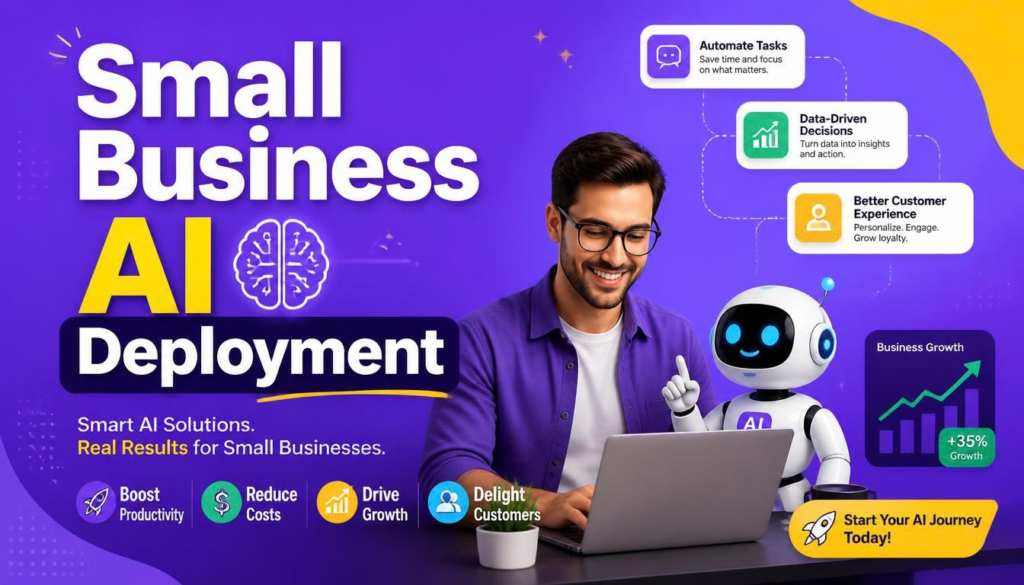
This is where strategic small business AI deployment makes a real difference. Integrating intelligent workflows into your daily setup allows small teams to eliminate low-value manual tasks, speed up delivery cycles, and lower operational costs without hiring expensive tech teams or building complex custom software. Planning a structured small business AI deployment ensures your company scales smoothly without burning out employees.
What Small Business AI Deployment Really Means
Executing a practical small business AI deployment isn’t about replacing your hard-working staff or chasing every flashy tech tool you see on social media. It simply means embedding smart, context-aware automation directly into your everyday business routines.
┌─────────────────────────────────────────────────────────────┐
│             Strategic AI Deployment Loop                    │
├─────────────────────────────────────────────────────────────┤
│ Identify Bottleneck ──> Select Tool ──> Pilot ──> Scale Up  │
└─────────────────────────────────────────────────────────────┘
A grounded implementation connects modern software directly to your real revenue-generating tasks. Primary areas targeted during small business AI deployment include:
- Customer Operations: Handling initial lead queries and routing urgent support tickets instantly.
- Content & Marketing: Outlining blog posts, social schedules, and product update drafts.
- Document Management: Automatically extracting key figures from incoming invoices, receipts, and client contracts.
- Internal Workflows: Sorting through messy inbox threads and turning them into clear, actionable tasks.
Whether you manage an e-commerce shop, a local consulting agency, or a service company, a disciplined small business AI deployment strategy delivers immediate return on investment.
Why Strategy Beats Buying Endless Software Subscriptions
Signing up for dozens of standalone software platforms without a clear integration plan usually leads to one outcome: higher monthly bills and confused employees. Successful business owners focus on fixing their most time-consuming manual bottlenecks first through targeted small business AI deployment initiatives.
| Operational Area | Legacy Approach | Post-Deployment Impact |
| Customer Support | Reps manually answer the same FAQ emails daily | AI handles common queries; team steps in for tricky cases |
| Data Processing | Manually re-keying invoice numbers into spreadsheets | Automated document parsing extracts numbers instantly |
| Sales Operations | Writing follow-up notes by hand after long calls | AI drafts recap summaries for sales rep approval |
| Knowledge Access | Hunting through scattered drive folders for policies | Simple natural language search pulls up exact guidelines |
Structuring your small business AI deployment carefully ensures your software stack supports your people instead of creating extra headaches. If you’re building custom logic or exploring automated backend setups, checking out automated trading bot strategies illustrates how setting strict boundary rules keeps automated systems running smoothly. For wider guidance on business management and resource planning, the U.S. Small Business Administration offers helpful insights for growing teams.
15 Practical Steps for Small Business AI Deployment
1. Target Time-Consuming Bottlenecks First
Before spending a dime on software, audit your team’s weekly schedules. Spot the repetitive tasks—like copy-pasting client details or writing routine updates—that swallow up valuable hours.
2. Streamline Customer Support Routing
Set up AI assistants to handle basic questions about operating hours, shipping updates, and service pricing. Letting software tackle simple inquiries keeps your human team fresh for high-value client calls.
3. Automate Content Drafts & Marketing Material
Use smart text assistants to draft social media posts, blog outlines, and product blurbs. Your team simply steps in to edit, add personality, and polish the final draft.
4. Accelerate Document Processing & Data Extraction
Manual invoice entry takes up valuable accounting time. Modern OCR platforms scan receipts and contracts, pulling key totals directly into your accounting books.
┌─────────────────────────────────────────────────────────────┐
│                 Human-in-the-Loop Safeguard                 │
├─────────────────────────────────────────────────────────────┤
│ Trigger Event ──> AI Processing ──> Staff Review ──> Output │
└─────────────────────────────────────────────────────────────┘
5. Capture Actionable Meeting Summaries
Bring meeting assistants into your team calls to record notes, summarize key points, and list next steps automatically so everyone can stay engaged in the conversation.
6. Extract Direct Insights From Business Analytics
Skip the manual spreadsheet formulas. Query your sales data with plain English questions and let analytics engines point out unusual inventory drops or revenue trends.
7. Connect AI To Existing Workflow Automation
Pair smart text tools with simple workflow triggers. A successful small business AI deployment takes incoming contact forms, logs them into your CRM, creates a task, and alerts your sales team automatically.
8. Reduce Friction Across Sales Pipelines
Help your account managers by using tools that summarize past client notes, draft quick follow-ups, and log pipeline updates without endless manual typing.
9. Build Internal Knowledge Hubs
Store operational guides, HR policies, and technical docs in a searchable internal hub. A successful small business AI deployment allows staff members to ask simple questions and get accurate, referenced answers in seconds.
10. Assist In-House Development Teams
If your company writes custom software, use coding assistants to spot bugs early, auto-generate test suites, and explain messy legacy code much faster.
11. Calculate True Deployment Costs
Every effective small business AI deployment must factor in all expenses—including software subscription fees, staff learning curves, and human review time.
12. Establish Strict Review Guardrails
Never let automated software run completely unmonitored. Keep a team member in the loop to double-check customer messages, billing numbers, and contract terms before anything goes out.
| Workflow Area | AI Responsibility | Required Human Action |
| Support Replies | Draft initial response to customer query | Staff reviews before final send |
| Invoice Data | Extract figures from receipts | Bookkeeper verifies totals against bank records |
| Ad Copy Creation | Generate variations for social campaigns | Marketer selects and edits brand tone |
13. Safeguard Proprietary Business Data
Double-check privacy policies on every platform you evaluate. Make sure client details, credentials, and confidential contracts aren’t stored or used to train public models.
14. Launch Small Pilot Projects
Don’t try to transform every department overnight. Start your small business AI deployment with a single, clear job—like drafting weekly client updates—to test results and let your team adjust.
15. Measure Cost and Productivity Shifts
Track your metrics before and after launching your small business AI deployment. Measure time saved, processing speed, and error reductions to prove the tool is paying off.
Pre-Deployment Verification Framework
┌─────────────────────────────────────────────────────────────┐
│                 5-Stage Deployment Engine                   │
├─────────────────────────────────────────────────────────────┤
│ 1. Audit Workflow ──> 2. Pick Tool ──> 3. Security Check    │
│ 4. Run Pilot      ──> 5. Measure ROI                        │
└─────────────────────────────────────────────────────────────┘
Before adding another subscription to your corporate card, run through this quick sanity check to evaluate your small business AI deployment readiness:
- [ ] Have you mapped out the exact manual task you want to fix?
- [ ] Does the new tool connect easily with your current software?
- [ ] Has your team confirmed that customer data stays private?
- [ ] Is someone assigned to review automated outputs before release?
- [ ] Do projected time savings outweigh the software’s monthly price?
- [ ] Has your team received basic training on how to use it properly?
Measuring Performance Transformation
To make sure your small business AI deployment is delivering real value, track these core numbers over your first 30 days:
- Response Speed: Watch how fast customer inquiries get answered.
- Hours Saved: Count the hours freed up from boring administrative work.
- Error Reduction: Check for drops in data entry mistakes and typos.
- Operational Costs: Calculate net savings after paying for your software subscriptions.
Executing a successful small business AI deployment isn’t about buying into every tech trend—it’s about fixing real daily hassles with practical automation. When you pair smart software tools with human oversight, your team works faster, cuts overhead, and spends more energy doing what humans do best: building great customer relationships.
Which repetitive tasks are taking up the most time in your business right now? Drop your thoughts or questions in the comments below!