Free CRM for Beginners: 5 Best Proven Tools to Grow in 2026

Managing customer relationships using messy Excel spreadsheets, sticky notes, and scattered email threads might work when you only have two or three clients. But as your business grows, keeping track of prospective leads, follow-up dates, custom proposals, and sales history across separate files quickly becomes chaotic.
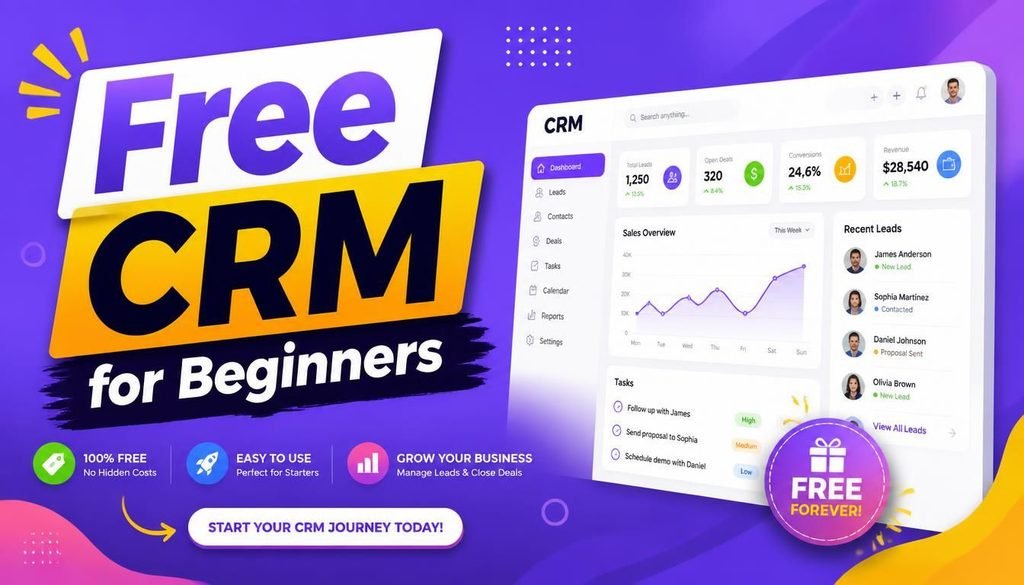
This operational headache is exactly where a free CRM for beginners changes the game.
CRM stands for Customer Relationship Management. A CRM system provides a single, organized dashboard to store customer profiles, track active deal pipelines, log communication histories, and automate routine follow-up reminders.
The best part? You do not need a massive enterprise IT budget to organize your sales process. In 2026, leading software providers offer powerful, zero-cost tiers tailored specifically for freelancers, consultants, startups, and small teams.
In this guide, we break down how to choose the free CRM for beginners that fits your daily workflow, compare top-rated platforms, and share practical setup tips without overcomplicating your business.
What Is a CRM and Why Should Beginners Care?
A Customer Relationship Management platform centralizes every client interaction into one accessible database.
Instead of hunting through old inbox conversations or asking team members for client updates, searching for a free CRM for beginners gives you instant clarity on:
- Contact details, company roles, and social media profiles
- Current sales pipeline stages (e.g., Lead Identified $\rightarrow$ Proposal Sent $\rightarrow$ Deal Closed)
- Logged email exchanges, call notes, and meeting summaries
- Automated tasks and follow-up calendar notifications
Developing clean customer management habits early prevents client communications from slipping through the cracks as your deal flow accelerates.
The Best Free CRM Options for Beginners in 2026
Not all CRM platforms are built the same way. The ideal choice depends on your team size, whether you prefer email-centric workflows, and how complex your sales funnel is.
Below are five top-tier solutions evaluated for ease of use and free plan features.
1. HubSpot CRM — Best Overall Free Starting Point
HubSpot CRM remains the undisputed industry benchmark when evaluating a free CRM for beginners. It delivers a remarkably generous free-tier dashboard without forcing immediate upgrades.
Key Features:
- Unlimited user accounts and up to 1,000,000 contact records
- Visual drag-and-drop deal pipelines to track sales stages
- Email tracking notifications (know exactly when a prospect opens your proposal)
- Native meeting scheduling links and live website chat widgets
Best For: Freelancers, agencies, and small businesses wanting a full-featured CRM that scales effortlessly.
2. Zoho CRM — Best for Small Teams and Ecosystem Integration
Zoho CRM is a standout choice for micro-businesses seeking structured sales automation alongside broader operational tools.
Key Features:
- Free tier supporting up to 3 users with core contact and deal tracking
- Seamless integration with the broader Zoho software suite (invoicing, docs, and mail)
- Built-in task logs and workflow rules to automate follow-up reminders
Best For: Small teams planning to build their wider business software stack inside a single ecosystem.
3. Freshsales — Best for Sales-Driven Outreach
Freshsales (by Freshworks) focuses heavily on streamlining outreach pipelines, making it an excellent free CRM for beginners who prioritize outbound lead tracking.
Key Features:
- Clean, intuitive contact management and Kanban-style sales boards
- Built-in phone capabilities and chat integration
- AI-assisted contact scoring to highlight your warmest leads
Best For: Independent sales reps and service businesses focused on converting cold leads into active buyers.
4. Bitrix24 — Best All-in-One Business Hub
Bitrix24 goes beyond traditional contact management by combining CRM pipelines with task management, team chat, and project workspaces.
Key Features:
- Unified dashboard for sales leads, project tasks, and internal team chats
- Document management and quotes generation
- Multi-channel customer communication options
Best For: Startups looking for a single workspace that handles both customer management and internal team collaboration.
5. Streak — Best for Dedicated Gmail Users
If your daily work revolves entirely around Google Workspace, Streak offers a unique approach by embedding CRM functionality directly inside your Gmail inbox.
┌──────────────────────────────────────────────────────────────┐
│                        Gmail Inbox                           │
├──────────────────────────────────────────────────────────────┤
│  [Streak Pipeline View]                                      │
│  Lead Received ──► Contacted ──► Proposal ──► Closed Won     │
└──────────────────────────────────────────────────────────────┘
Key Features:
- Tracks deals and manages customer pipelines without leaving Gmail
- Shared email threads and contact timelines for small teams
- Custom mail merge capabilities for targeted follow-up campaigns
Best For: Solo creators, consultants, and freelancers who prefer managing sales directly within their inbox.
Comparison Table: Free CRM Tools for Beginners
| CRM Platform | Best For | Standout Advantage | Beginner Friendliness |
| HubSpot CRM | Most beginners | Generous user & contact limits | ⭐⭐⭐⭐⭐ (Excellent) |
| Zoho CRM | Small teams | Strong ecosystem integration | ⭐⭐⭐⭐ (Very Good) |
| Freshsales | Sales pipelines | Clean lead tracking interface | ⭐⭐⭐⭐ (Very Good) |
| Bitrix24 | All-in-one workspaces | Comprehensive task & sales features | ⭐⭐⭐ (Moderate) |
| Streak | Gmail power users | Operates directly inside Gmail | ⭐⭐⭐⭐ (Very Good) |
Key Features to Look For in a Beginner CRM
When testing a free CRM for beginners, ignore overly complex enterprise features like predictive AI modeling or custom API webhooks. Focus strictly on these essential capabilities:
- Intuitive Contact Management: You should be able to create, search, tag, and organize customer profiles in seconds.
- Visual Deal Pipelines: A clean Kanban board allows you to drag sales opportunities across stages, instantly revealing your monthly projected revenue.
- Automated Reminders: Scheduled task notifications ensure you never forget to follow up with a warm prospect.
- Email Integration: Syncing your primary email inbox automatically logs client exchanges under their profile without manual copy-pasting.
For tips on protecting client data stored inside cloud applications, read our detailed guide on Why Cloud Security Is Essential for Startups.
Free CRM vs. Spreadsheets: Which Should You Use?
While spreadsheets are great for raw calculations, relying on them to manage active customer relationships creates severe operational drag:
| Operational Need | Excel / Google Sheets | Dedicated Free CRM |
| Contact Storage | Manual cell entries | Organized, searchable profiles |
| Follow-up Reminders | Manual calendar entries | Automated pop-up & email alerts |
| Email History | None (stored separately in inbox) | Automatically logged under client record |
| Pipeline Visibility | Static rows and text | Visual, drag-and-drop sales boards |
| Team Collaboration | Risk of overwriting data | Role-based permissions & audit history |
To explore complementary software tools that streamline administrative workloads, check out our guide on the Top SaaS Tools 2026.
Practical Security Checklist for Beginner CRM Users
Customer databases contain sensitive contact records and deal values. Protect your cloud CRM account with these essential practices:
- [ ] Enforce Strong Authentication: Use unique, 16+ character master passphrases. Learn more in our tutorial on How to Create and Manage Strong Passwords.
- [ ] Enable Multi-Factor Authentication (MFA): Require authenticator app approval for every login attempt.
- [ ] Audit User Permissions: Grant team members access only to the contacts and pipelines relevant to their specific roles.
- [ ] Promptly Offboard Departing Staff: Revoke CRM login credentials immediately when a team member leaves your organization.
Step-by-Step Action Plan to Set Up Your CRM
- Pick One Platform: Select a free CRM for beginners like HubSpot or Streak that matches your current workflow.
- Clean Your Existing Data: Export your contacts from email or spreadsheets, remove duplicate entries, and import clean CSV records.
- Build a 5-Stage Pipeline: Keep it simple: New Lead $\rightarrow$ Initial Contact $\rightarrow$ Proposal Sent $\rightarrow$ Negotiation $\rightarrow$ Won/Lost.
- Log Daily Activity: Make it a habit to log notes, phone calls, and follow-up dates after every client interaction.
Final Thoughts
Adopting a free CRM for beginners is one of the highest-return operational decisions an early-stage business can make. Moving away from static spreadsheets and centralizing your sales contacts creates a predictable, organized sales pipeline.
Start lean, focus on mastering basic follow-up habits, and upgrade to paid tiers only when your growing revenue genuinely demands advanced automation.
Frequently Asked Questions (FAQs)
Are free CRM plans genuinely free forever?
Yes, reputable platforms like HubSpot and Zoho offer free tiers with core contact management that remain free indefinitely. However, providers charge monthly fees if you require advanced features like automated workflow triggers, custom reporting, or larger contact storage caps.
Is a free CRM secure for storing client contact details?
Top CRM vendors utilize enterprise-grade cloud encryption, regular security audits, and strict compliance standards. To keep your account safe, always enable Multi-Factor Authentication (MFA) and enforce strong password policies across your team.
Can freelancers benefit from using a CRM?
Absolutely. A free CRM for beginners helps freelancers keep track of prospective leads, log proposal dates, and set automated follow-up reminders, ensuring zero business opportunities are lost.
Share Your Thoughts
Are you currently tracking your clients in a spreadsheet, or have you tested a free CRM for beginners like HubSpot or Streak? Share your experiences, study workflows, or questions in the comments below!