10 Best Proven Ways to Secure Android & iOS Devices Against Spyware (2026)

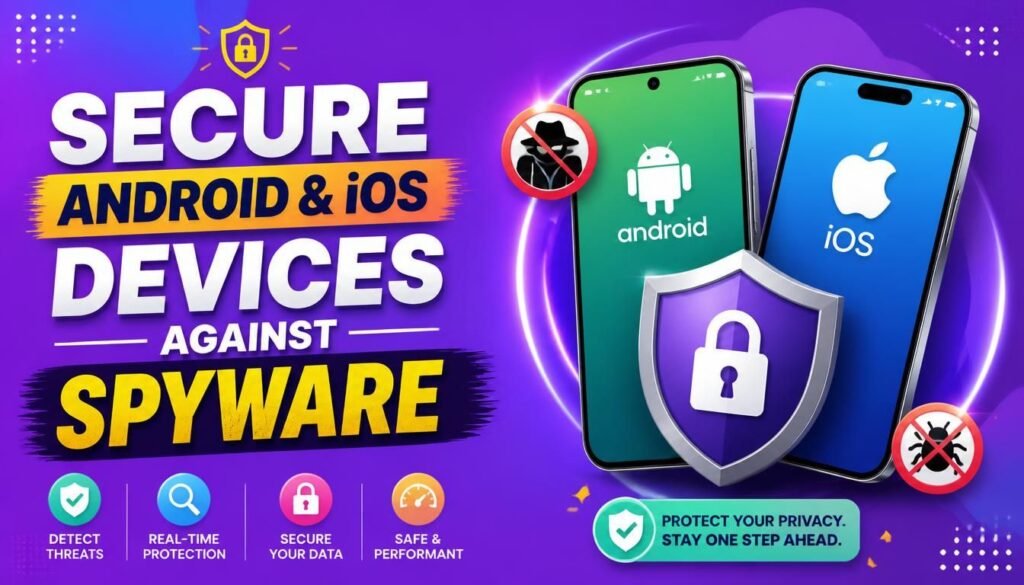
Think about everything sitting on your smartphone right now: your bank accounts, private WhatsApp chats, work emails, family photos, stored passwords, and location history. For most of us, our phone is no longer just a communication tool—it is our primary vault. Knowing how to secure Android & iOS devices against spyware is essential for maintaining digital privacy.
Because our phones hold the keys to our entire digital lives, they have become prime targets for hackers, malicious apps, and hidden tracking software. Learning how to secure Android & iOS devices against spyware isn’t just for IT professionals anymore; it’s an essential habit for anyone using a smartphone today.
The good news? You don’t need to spend money on complex software or have a degree in computer science to keep your phone safe. Most mobile attacks succeed simply because of minor setup oversights: delayed updates, random app downloads, or over-permissioned apps that make it difficult to secure Android & iOS devices against spyware.
In this practical guide, we’ll walk through the best real-world ways to secure Android & iOS devices against spyware and keep your personal data strictly under your control in 2026.
What Exactly Are Mobile Spyware and Malware?
To protect your device effectively, it helps to know what you’re actually defending against when trying to secure Android & iOS devices against spyware.
- Malware: This is any program created to harm your phone, steal data, or cause system glitches.
- Spyware: A stealthy subcategory of malware. It runs silently in the background, logging your keystrokes, capturing your screen, recording through your microphone, or tracking your location without your knowledge.
┌─────────────────────────────────────────────────────────────┐
│                 Mobile Threat Vectors Mapping               │
├──────────────────┬──────────────────┬───────────────────────┤
│ Malicious Apps   │ Phishing Links   │ Profile Hijacking     │
│ & Side-Loading   │ & SMS Scams      │ & Over-Permissions    │
└──────────────────┴──────────────────┴───────────────────────┘
When you fail to secure Android & iOS devices against spyware, your smartphone becomes vulnerable to several common threat vectors:
- Keyloggers: Programs that record every letter you type, including passwords and credit card details.
- Banking Trojans: Fake pop-ups designed to overlay real banking apps and capture your login details.
- Over-Permissioned Apps: Harmless-looking utility apps that quietly upload your contact list or photo library to remote servers.
- Smishing (SMS Phishing): Text messages posing as your bank or a delivery company to trick you into entering login details.
Why Mobile Security Demands Your Attention
Your smartphone is connected to high-speed networks 24 hours a day, 7 days a week. If a malicious app breaches your phone, the damage rarely stops at your device.
An attacker can use your compromised device to reset passwords for your email, compromise your cloud backup drives, or access your company’s internal chat rooms. Building strong, simple habits to secure Android & iOS devices against spyware serves as an effective insurance policy for your entire digital identity.
10 Best Proven Steps to Secure Android & iOS Devices Against Spyware
Here is a straightforward, step-by-step strategy to lock down your smartphone and secure Android & iOS devices against spyware:
Step 1: Install Operating System Updates Immediately
Security updates aren’t just about new emojis or design tweaks—they patch critical security holes that spyware vendors exploit to bypass standard phone protections.
┌─────────────────────────────────────────────────────────────┐
│                 Updating Mobile Firmware                    │
├─────────────────────────────────────────────────────────────┤
│ Android: Settings ──► System ──► Software Update            │
│ iOS:     Settings ──► General ──► Software Update           │
└─────────────────────────────────────────────────────────────┘
- Android: Go to
Settings$\rightarrow$System$\rightarrow$Software Update. Check Google Play System Updates as well. - iOS: Go to
Settings$\rightarrow$General$\rightarrow$Software Update. Turn on Automatic Updates to help secure Android & iOS devices against spyware.
Step 2: Stick Strictly to Official App Stores
Downloading raw installer files (APKs) from random sites or clicking installation pop-ups on mobile browsers is the fastest way to infect an Android device. On iPhones, avoid downloading unverified profile setups from unfamiliar websites.
To effectively secure Android & iOS devices against spyware:
- Avoid sideloading applications from third-party sites.
- Check developer details and user reviews before hitting install.
- Never download an app simply because a website pop-up claims “Your phone has 3 viruses!”
Step 3: Audit App Permissions Using Least Access
Ask yourself: Does a flashlight app really need access to my contact list or microphone? Of course not.
┌─────────────────────────────────────────────────────────────┐
│               App Permission Auditing Flow                  │
├─────────────────────────────────────────────────────────────┤
│ Android: Settings ──► Privacy ──► Permission Manager        │
│ iOS:     Settings ──► Privacy & Security                    │
└─────────────────────────────────────────────────────────────┘
Audit your permissions every couple of months. Restricting unnecessary access ensures apps only see what they need to function—one of the simplest actions to secure Android & iOS devices against spyware.
Step 4: Delete Apps You No Longer Use
We all download apps we use once and completely forget about. Unfortunately, outdated or abandoned apps sitting on your home screen can be bought out by malicious developers or left unpatched.
Take 5 minutes to clean up your home screen and delete any apps you haven’t opened in the past 90 days to help secure Android & iOS devices against spyware.
Step 5: Upgrade Your Lock Screen Passcode
Your lock screen is your first line of physical defense. While fingerprint scanners and Face ID are great for daily convenience, they rely on a backup PIN or passcode.
- Avoid predictable PINs like
0000,1234, or your birth year. - Set your screen lock to activate automatically after 30 seconds or 1 minute of inactivity.
- Complex passcodes stop thieves or nosy individuals from manually installing tracking utilities if your phone is left unattended.
Step 6: Lock Down Your Google or Apple Account
Your phone is directly connected to your main cloud account (Google Account or Apple ID). If someone accesses that account, they can view your phone backups, read your emails, and locate your phone remotely.
To secure Android & iOS devices against spyware effectively:
- Use a long, unique password for your primary account. Learn best practices in our guide on How to Create and Manage Strong Passwords.
- Turn on multi-factor authentication following our walkthrough on How to Set Up Two-Factor Authentication.
- Review connected devices regularly and log out of hardware you no longer own.
Step 7: Stay Alert to Mobile Phishing (Smishing)
Not all mobile attacks involve complex malware code; many rely on basic trickery. Learning how to spot suspicious texts is a key way to secure Android & iOS devices against spyware.
- Be skeptical of urgent text messages claiming your package is delayed, your bank account is frozen, or you’ve won a prize.
- Never log into sensitive accounts by clicking links sent via SMS or chat apps.
- Spot common social engineering tactics using our guide on 10 Best Ways to Spot Advanced Email Phishing Scams.
Step 8: Use Public Wi-Fi With Caution
Free Wi-Fi at coffee shops, airports, or hotels is convenient, but open networks can be monitored by malicious actors operating on the same frequency.
- Avoid logging into banking apps or making online purchases while connected to open Wi-Fi.
- Ensure web addresses begin with
https://. - Understand how data stays encrypted during transit in our technical guide on How AES-256 Encryption Works.
Step 9: Avoid Rooting or Jailbreaking Your Phone
Rooting (Android) or jailbreaking (iOS) removes the built-in system restrictions designed by Google and Apple to isolate apps from one another.
Once you root or jailbreak a device, malicious apps can easily grant themselves administrator privileges, making it virtually impossible to secure Android & iOS devices against spyware.
Step 10: Check for Unknown Management Profiles
Some third-party tools, fake security apps, or aggressive employer configurations install Mobile Device Management (MDM) profiles that can route your internet traffic or control system settings.
┌─────────────────────────────────────────────────────────────┐
│                 Auditing Management Profiles                │
├─────────────────────────────────────────────────────────────┤
│ Android: Settings ──► Security ──► Device Admin Apps        │
│ iOS:     Settings ──► General ──► VPN & Device Management   │
└─────────────────────────────────────────────────────────────┘
If you see an unfamiliar configuration profile on your personal device, investigate it and remove it right away to secure Android & iOS devices against spyware.
Real-World Comparison: Android vs. iOS Security
Both Android and iOS have evolved into highly secure operating systems, but their approach to privacy differs slightly:
| Platform Feature | Android Environment | iOS Environment |
| App Sourcing | Google Play Store + Option to Sideload | Apple App Store (Strictly Controlled) |
| Sideload Risk | Higher Risk (Manual APK Downloads) | Very Low Risk (Restricted Framework) |
| Permission Controls | Privacy Dashboard / Permission Manager | Privacy & Security Section |
| System Updates | Managed by Carriers & Device Makers | Issued Directly to All Supported Devices |
| Sandboxing Standard | Native SELinux Isolation | iOS Application Sandbox System |
No matter which platform you prefer, good user habits remain your most reliable line of defense to secure Android & iOS devices against spyware.
Warning Signs Your Phone Might Be Compromised
If your phone starts acting strangely, don’t panic. Look out for these typical indicators of background tracking software:
┌─────────────────────────────────────────────────────────────┐
│                  Mobile Spyware Indicators                  │
├─────────────────────────────────────────────────────────────┤
│ Rapid Battery Drain ──► Spike in Background Data ──► Overheating│
└─────────────────────────────────────────────────────────────┘
- Unusual Battery Drain: Your battery depletes rapidly even when your phone is sitting idle.
- Unexplained Heating: The device feels hot to the touch while sitting idle in your pocket.
- Data Spikes: Sudden, unexplained increases in background cellular data usage.
- Random Pop-Ups: Browser redirects or strange pop-up ads appear outside normal web browsing.
To review broader security best practices across your organization, check out our Small Business Cybersecurity Audit Checklist.
Action Plan: What to Do If You Suspect Spyware
If you suspect something isn’t right with your device, follow this simple containment checklist to secure Android & iOS devices against spyware:
- Disconnect From Networks: Turn on Airplane Mode or turn off Wi-Fi and Cellular Data to stop background data transmission.
- Review Installed Apps: Scroll through your app drawer and delete anything you don’t recognize.
- Remove Admin Privileges: Check device management settings and revoke rights from unverified tools.
- Change Account Passwords: Using a separate, clean computer, change passwords for your primary email, cloud accounts, and password managers.
- Perform a Factory Reset: If suspicious issues persist, back up your photos and perform a full factory reset. Reinstall apps manually from official stores to secure Android & iOS devices against spyware.
- Protect Your Web Services: Secure online endpoints using our guide on 10 Best Free Ways to Protect Your WordPress Website From DDoS Attacks.
Quick Mobile Security Checklist
Keep this checklist handy to regularly verify your phone’s security status and secure Android & iOS devices against spyware:
| Security Action | What to Check | Status |
| System Updates | Verify operating system is running the latest patch | ☐ |
| App Permission Check | Revoke camera, location, and mic access where unnecessary | ☐ |
| Lock Screen Review | Ensure strong 6-digit PIN or complex password is active | ☐ |
| Cloud Account Safety | Verify Two-Factor Authentication is enabled on Google/Apple ID | ☐ |
| App Clean Up | Uninstall inactive and unneeded mobile applications | ☐ |
| Public Wi-Fi Precaution | Avoid accessing banking apps on open networks | ☐ |
To learn more about baseline technical protections, read our introduction to Network Security Basics.
Final Thoughts
Keeping your smartphone safe doesn’t require complex technical routines. Taking simple, deliberate steps—like installing updates promptly, auditing app permissions, enforcing multi-factor authentication, and sticking to official app stores—makes your device an exceptionally hard target for attackers.
Take 5 minutes today: check your phone for pending software updates, review your permissions, and turn on 2FA on your primary accounts to secure Android & iOS devices against spyware in 2026.
Frequently Asked Questions (FAQs)
How can I secure Android & iOS devices against spyware for free?
You can secure Android & iOS devices against spyware for free by keeping your software updated, removing unused apps, revoking unnecessary camera and location permissions, setting strong passcodes, and turning on multi-factor authentication on your Apple ID or Google Account.
Can iPhones get spyware?
Yes. While the iPhone sandboxing environment is strong, targeted attacks, malicious configuration profiles, and web vulnerabilities can still affect iOS devices. Keeping your iPhone updated to the latest iOS version is essential to secure Android & iOS devices against spyware.
Will a factory reset remove spyware from my phone?
Yes, in almost all cases. A full factory reset wipes the device’s storage, removing hidden tracking programs and unauthorized applications to effectively secure Android & iOS devices against spyware. Remember to back up essential photos and contacts beforehand, and change your account passwords from a separate device.
Do I need to install a mobile antivirus app?
On iOS, third-party antivirus apps have limited utility because apps are strictly sandboxed. On Android, reputable security tools can provide extra scanning for downloaded APKs, but system updates and careful browsing habits remain your primary protection to secure Android & iOS devices against spyware.
What’s Your Mobile Security Strategy?
Have you ever noticed strange behavior on your phone, or do you have a specific routine to secure Android & iOS devices against spyware? What security settings do you find most useful? Share your thoughts, tips, and questions in the comments below!