Best Project Management Tools in 2026: 6 Proven Best Software to Win

Managing complex operations becomes chaotic when tasks, deadlines, client briefs, and team feedback are scattered across separate messaging apps and messy email threads.
A basic spreadsheet or a personal to-do list might work when handling a single client. However, as team sizes expand and project scope grows, relying on unorganized systems inevitably leads to missed deadlines, unassigned tasks, and operational friction.
This is where adopting the best project management tools in 2026 becomes essential.
Modern project management software acts as a centralized mission control center for your organization. It allows teams to assign clear ownership, track real-time progress through visual timelines, automate routine administrative updates, and leverage artificial intelligence to summarize project status reports.
In this comprehensive guide, we compare the best project management tools in 2026, break down their core strengths and limitations, and provide an actionable framework to help you choose the right software for your team’s unique workflow.
What Is Project Management Software and Why Does It Matter in 2026?
Project management software provides a structured, digital workspace where teams plan, execute, and monitor work from inception to delivery.
Key benefits of implementing the best project management tools in 2026 include:
- Centralized Communication: Keep team discussions directly attached to specific task cards rather than buried in long email chains.
- Clear Task Ownership: Eliminate confusion by assigning single owners and explicit due dates to every subtask.
- Visual Progress Tracking: Toggle between Kanban boards, Gantt charts, list views, and calendar schedules instantly.
- Workflow Automation: Eliminate manual data entry by triggering automated status updates, notifications, and task reassignments.
In 2026, artificial intelligence has evolved from basic chat pop-ups into deeply embedded workflow assistants. These AI helpers summarize long task threads, generate draft project plans, identify potential delivery bottlenecks, and flag resource constraints before they disrupt deadlines.
The Best Project Management Tools in 2026
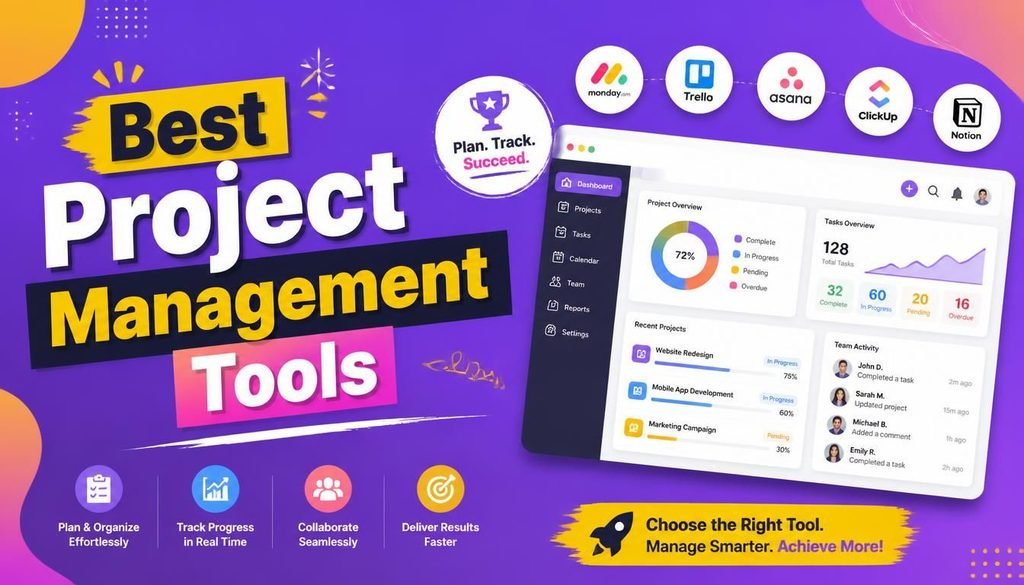
Selecting from the best project management tools in 2026 requires evaluating your team’s specific operational structure and project types. Below are the six top-performing platforms leading the industry this year.
1. monday.com — Best for Visual Workflows and Operations
monday.com is a leading Work OS platform built around highly customizable, color-coded visual boards. It excels at converting complex business processes into clear, trackable pipelines.
┌─────────────────────────────────────────────────────────────┐
│                      monday.com Work OS                     │
├──────────────────┬──────────────────┬───────────────────────┤
│ Marketing Boards │ Sprint Pipelines │ Client Onboarding OS  │
└──────────────────┴──────────────────┴───────────────────────┘
Key Features:
- Intuitive drag-and-drop board interfaces with custom status columns
- Built-in automation recipes for status updates, notifications, and assignments
- Executive dashboards aggregating data across dozens of active boards
- Embedded AI capabilities for column summaries and data extraction
Best For: Small-to-medium businesses and cross-functional operations teams wanting visual pipeline flexibility.
2. Asana — Best for Structured Enterprise Work Management
Asana is an established platform engineered for structured goal alignment, cross-departmental dependency tracking, and enterprise-grade work management.
Key Features:
- Multi-view project tracking: List, Board, Timeline (Gantt), and Calendar
- Portfolio views linking daily team execution directly to high-level company goals
- Advanced workload management to prevent team burnout
- Deep integrations with enterprise platforms like Google Workspace and Slack
Best For: Medium-to-large organizations that require strict task structure, clear dependencies, and goal alignment.
3. ClickUp — Best All-in-One Productivity Platform
ClickUp stands out among the best project management tools in 2026 for software consolidation, replacing multiple standalone tools by combining tasks, docs, goal tracking, whiteboards, and time tracking inside one workspace.
Key Features:
- Highly customizable workspaces featuring multi-view task boards
- Native document editor linked directly to task execution cards
- Built-in time tracking and workload estimation tools
- Powerful no-code automation rules and customizable AI assistant add-ons
Best For: Startups, agencies, and lean teams looking to consolidate their software stack and lower subscription costs.
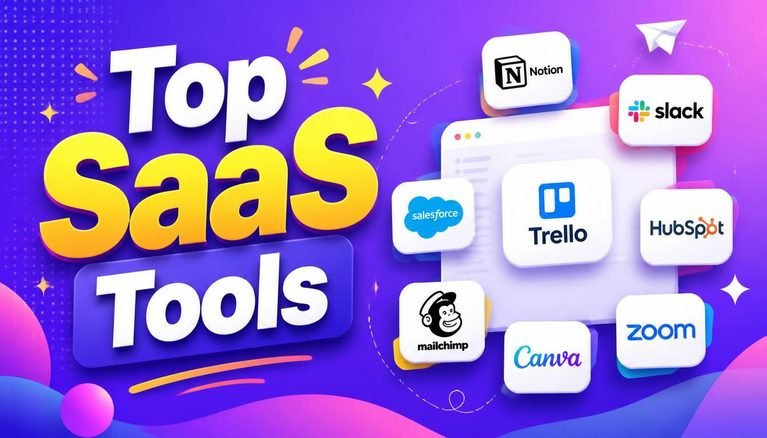
To evaluate additional software tools that consolidate business operations, read our complete guide on the Top SaaS Tools 2026.
4. Trello — Best for Simple, Lightweight Kanban Tracking
Trello pioneered the simple visual Kanban board concept: To Do $\rightarrow$ In Progress $\rightarrow$ Review $\rightarrow$ Done. It remains one of the most accessible entry-level options on our list of the best project management tools in 2026.
Key Features:
- Frictionless board, list, and card visual hierarchy
- “Power-Ups” system to add calendar views, custom fields, and app integrations
- Butler automation engine to build simple rule-based workflow triggers
Best For: Freelancers, students, solopreneurs, and small teams needing straightforward visual task management without a steep learning curve.
5. Notion — Best for Unified Projects and Internal Documentation
Notion bridges the gap between project management and knowledge management by combining relational databases, flexible document canvases, and team wikis into one platform.
Key Features:
- Interlinked relational databases for content calendars, task boards, and wikis
- Highly customizable pages allowing teams to embed media, code blocks, and files
- Integrated AI assistant for drafting documents, summarizing notes, and querying databases
Best For: Creators, agile startups, and non-technical founders building a centralized “single source of truth” for team docs and projects.
6. Jira — Best for Agile Software Development Teams
Developed by Atlassian, Jira is the industry standard for software engineering and IT teams practicing Agile, Scrum, or Kanban methodologies.
Key Features:
- Purpose-built issue tracking, bug logging, and user story mapping
- Dedicated sprint planning boards and release management workflows
- Deep developer integrations with code repositories like GitHub and Bitbucket
- Advanced velocity charts, burndown reports, and cumulative flow diagrams
Best For: Software engineering teams, web developers, and technical product managers.
For insights into how artificial intelligence is transforming technical engineering workflows, check out our guide on How AI Is Changing Web Development in 2026.
Comparison Table: Best Project Management Tools in 2026
Below is a summary of the best project management tools in 2026 to help you compare key features and target use cases at a glance:
| Software Tool | Best For | Standout Advantage | Learning Curve | Free Tier Available? |
| monday.com | Visual operations | Highly customizable visual boards | Easy–Moderate | ✅ Yes |
| Asana | Structured teams | Enterprise goal & dependency tracking | Easy–Moderate | ✅ Yes |
| ClickUp | All-in-one workspaces | Feature-dense workspace at low cost | Moderate | ✅ Yes |
| Trello | Simple task tracking | Frictionless Kanban drag-and-drop | Very Easy | ✅ Yes |
| Notion | Docs & projects | Flexible databases & internal wikis | Moderate | ✅ Yes |
| Jira | Software engineering | Advanced Agile, sprint, & issue tracking | Moderate–Advanced | ✅ Yes |
How to Choose the Best Project Management Tools in 2026
Selecting the best project management tools in 2026 requires starting with your team’s daily operational realities rather than a software feature checklist.
1. Assess Team Size and Complexity
- Solo Creators & Freelancers: Prioritize simplicity and low setup time (e.g., Trello or Notion).
- Cross-Functional Small Teams: Choose flexible platforms offering automated status notifications and multiple view toggles (e.g., monday.com or ClickUp).
- Enterprise Organizations: Look for role-based access permissions, audit logs, advanced reporting, and dedicated account support (e.g., Asana or Jira).
2. Verify Integration Ecosystems
Ensure your chosen software connects seamlessly with your primary email provider, cloud storage, and team chat channels.
For instance, if your business relies on cloud-based billing utilities, ensuring your task manager syncs with your invoicing platform saves hours of manual data entry. Review our top recommendations for the Best Free Invoicing Software Tools for Freelancers and Small Businesses in 2026.
3. Maintain Account and Data Security
Project management spaces often contain proprietary product roadmaps, client contact details, and confidential financial metrics. Protect your workspaces by applying strong cybersecurity controls:
- Enforce Multi-Factor Authentication (MFA) across all user accounts.
- Review role-based access permissions regularly to prevent unauthorized data exports.
- Implement strict master password policies. Learn more in our dedicated guide on How to Create and Manage Strong Passwords.
Practical Checklist: Evaluating the Best Project Management Tools in 2026
Before committing to the best project management tools in 2026 for your organization, review this decision checklist:
- [ ] Core Utility: Does this platform directly solve our primary communication bottleneck?
- [ ] User Adoption: Is the interface intuitive enough for non-technical team members to use daily?
- [ ] View Flexibility: Does it support our preferred view options (Kanban, List, Gantt, Calendar)?
- [ ] Automation Capabilities: Can we set up no-code rules to automate routine status updates?
- [ ] Cost Scalability: Are per-seat pricing tiers sustainable as our team grows over the next 12 months?
Final Thoughts
Finding the best project management tools in 2026 comes down to matching software capabilities with team habits. The ideal software is the one that aligns naturally with your existing processes, clears administrative hurdles, and keeps everyone focused on executing high-value work.
Start small, focus on establishing consistent task updates and clear task ownership, and introduce advanced automation and AI features only as your operational requirements expand.
Frequently Asked Questions (FAQs)
What are the best project management tools in 2026 for small teams?
monday.com, ClickUp, and Asana are widely considered among the best project management tools in 2026 for small teams. They offer intuitive interfaces, powerful task automation, and flexible pricing tiers that adapt as teams scale.
What is the easiest project management tool for complete beginners?
Trello is widely considered the easiest starting point for beginners due to its clean visual Kanban board interface. Notion is also an accessible option for individuals who want to organize simple tasks alongside personal notes and documentation.
Can small teams manage projects effectively using free plans?
Yes. Platforms like Trello, ClickUp, Notion, Asana, and monday.com offer robust free plans that include basic task boards, mobile access, and core collaboration capabilities sufficient for small teams.
Share Your Experience
Which of the best project management tools in 2026 fits your daily workflow? Do you prefer the visual flexibility of monday.com, the structured pipelines of Asana, or the all-in-one approach of ClickUp? Share your thoughts and recommendations in the comments below!