Why Students Choose Tablets Over Paper Books in 2026

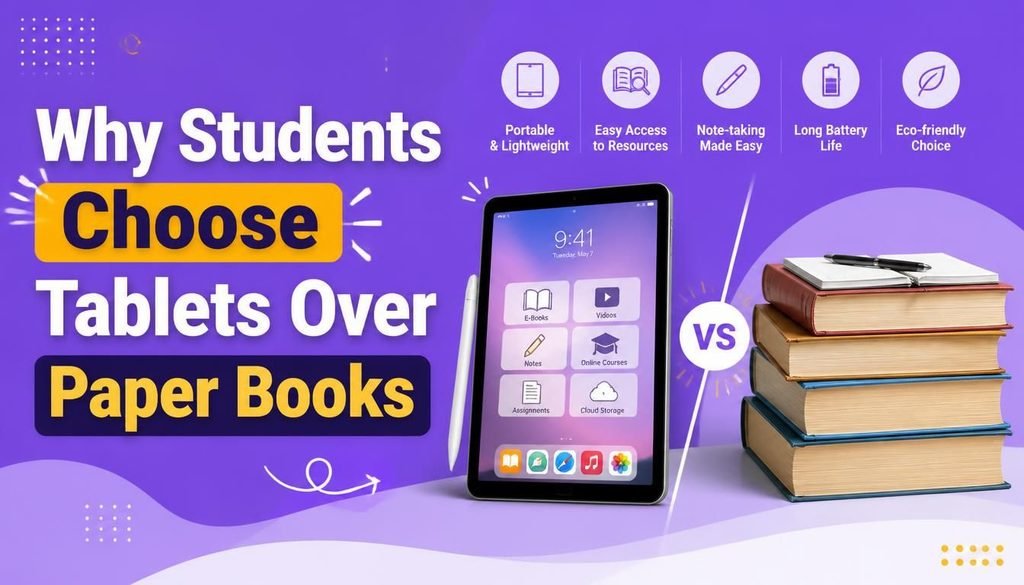
Walk onto any high school or university campus today, and you will notice a massive transformation in how students learn. The days of hauling 30-pound backpacks filled with thick hardcovers, binder clips, and physical highlighters are quickly fading into the background.
Instead, modern students pull out a single, sleek device from their bag that holds every textbook, lecture note, and research paper they will need for the entire academic year.
While physical books still hold a nostalgic charm, the digital shift is driven by sheer practicality. Improved battery efficiency, paper-like display coatings, precise stylus support, and powerful note-taking applications have fundamentally changed the classroom experience.
Understanding why students choose tablets over paper books comes down to looking at how modern education functions. Flexibility, organization, and portability have become non-negotiable for success.
Let’s explore why students choose tablets over paper books, the tangible benefits they provide, potential drawbacks to watch out for, and how to get the most out of your digital study setup.
The Natural Shift Toward Digital Classrooms
Higher education and modern schooling have fully embraced cloud-based learning management systems. Professors post lecture slides on online portals, assignments are submitted digitally, and research databases are accessed through web browsers.
Because classroom workflows are now fundamentally digital, bringing a physical textbook to class often creates unnecessary friction.
When analyzing why students choose tablets over paper books, it becomes clear that tablets seamlessly bridge the gap between reading course materials and actively working on digital assignments.
Global educational organizations like UNESCO continuously highlight how mobile technology and open digital learning resources expand educational access and streamline information delivery for students worldwide.
1. Replacing Heavy Backpacks with a Single Lightweight Device
Physical health and everyday convenience are huge factors when evaluating why students choose tablets over paper books.
Carrying four or five college-level textbooks along with physical notebooks every day creates severe back strain and physical fatigue. A modern tablet weighs under 1.5 pounds yet effortlessly stores thousands of digital textbooks, PDFs, and personal notebooks in a single place.
Key daily advantages include:
- Effortless Portability: Slide one slim device into your bag without worrying about weight.
- Instant Searchability: Locate a specific keyword across a 600-page textbook in milliseconds using Ctrl+F or global search.
- All-in-One Access: Read, annotate, and write essays without juggling multiple physical items on a tiny classroom desk.
2. Advanced Digital Note-Taking with Stylus Support
For decades, the primary argument against digital devices was that typing does not offer the same memory retention as handwriting. Modern stylus technology (like the Apple Pencil or Samsung S-Pen) completely solved that problem.
Students now enjoy the tactile feel of handwriting combined with digital flexibility:
- PDF Annotation: Import lecture slides or research PDFs directly into apps like Goodnotes, Notability, or OneNote and write notes directly in the margins.
- Handwriting to Text Conversion: Convert handwritten lecture notes into clean, searchable digital text instantly.
- Audio-Synced Notes: Record lecture audio while taking notes—tapping a specific word later plays the exact audio recorded at the moment you wrote it.
3. Instant Access to Cloud Resources & Collaboration
When studying for exams or working on team projects, speed and access matter. A physical book limits you to the information printed on its pages. A tablet connects you directly to global academic resources.
Within seconds, students can transition from reading a chapter to watching a 3D animation of a biological cell, reviewing academic journals, or joining a shared cloud document with classmates. Real-time collaboration makes group study sessions faster and far more productive.
4. Unmatched File Organization
Paper handouts get lost, binder rings break, and loose-leaf notes accumulate into chaotic piles by the end of a semester.
One of the secondary reasons why students choose tablets over paper books is organized file management. Students create organized folder structures by subject, semester, or topic. Finding a specific diagram from three months ago takes seconds, dramatically reducing exam preparation stress.
5. Long-Term Financial Savings
Although purchasing a mid-range tablet and stylus requires an upfront investment, it frequently pays for itself over a couple of academic years.
Print textbooks are notoriously expensive. Digital e-book versions are consistently cheaper to purchase or rent. Additionally, students take advantage of open educational resources (OER), free public domain materials, and digitized library loans—eliminating the need to buy fresh paper notebooks and highlighters every semester.
Potential Challenges of Switching to a Tablet
To keep an honest perspective on why students choose tablets over paper books, it is important to acknowledge that digital devices come with a few trade-offs:
- Screen Fatigue: Spending 8+ hours analyzing digital displays can cause eye strain. Using matte screen protectors (which mimic the texture of real paper and eliminate glare) along with blue-light filters helps mitigate discomfort.
- Battery Dependency: Unlike a physical book, a tablet requires power. Students learn to build habits around charging their devices overnight or keeping a compact power bank in their bag.
- Digital Distractions: Social media, games, and messaging apps are always one tap away. Utilizing built-in Focus Modes or Do Not Disturb settings is essential during lectures and study blocks.
Side-by-Side Comparison: Tablets vs. Paper Books
| Feature | Tablets | Paper Books |
| Portability | High (stores hundreds of books in 1.5 lbs) | Low (heavy and bulky) |
| Searchability | Instant global keyword search | Manual index flipping |
| Note-Taking | Handwriting, audio sync, easy erasing | Fixed ink on physical paper |
| Interactive Media | Videos, embedded links, 3D diagrams | Static text and static images |
| Battery Requirement | Yes (requires charging) | None |
| Durability | Requires protective case | Resistant to drops, vulnerable to liquid |
Practical Tips for Studying Effectively on a Tablet
If you are transitioning to a digital study workflow, follow these practical steps to maximize your productivity:
- Use a Paper-Feel Screen Protector: A matte finish creates friction for your stylus, making digital handwriting feel natural while reducing overhead light glare.
- Automate Cloud Backups: Connect your note-taking apps to Google Drive, OneDrive, or iCloud so you never lose your study materials if your device gets misplaced.
- Set Up Focus Boundaries: Block distracting apps during class hours using native system settings.
- Learn Keyboard Shortcuts: If you use a detachable keyboard, master navigation shortcuts to move between textbook files and note apps effortlessly.
Developers frequently publish open-source student utility scripts, PDF tools, and markdown extensions on platforms like GitHub, helping tech-savvy students customize their digital study environments.
To explore how mobile technology integrates into broader tech ecosystems, read our detailed guide on Latest Software and AI Tech Trends.
Final Thoughts
Looking closely at why students choose tablets over paper books, the decision comes down to adaptability. Physical books will always have a place for casual, distraction-free reading. However, for the fast-paced demands of modern education—where collaboration, instant searching, and lightweight portability are paramount—tablets offer an unmatched academic advantage.
By combining digital textbooks with stylus-based note-taking and structured cloud storage, students build a clean, highly efficient study routine that sets them up for success throughout their academic journey.
Frequently Asked Questions (FAQs)
Which tablet size is best for college students?
A screen size between 10.5 inches and 11 inches strikes the perfect balance between comfortable reading space and lightweight portability. Larger 12.9-inch tablets are great for digital art or detailed PDF split-screen work, but they add slightly more weight to your bag.
Can a tablet fully replace a laptop for a university student?
For humanities, business, or general studies, a tablet with a keyboard attachment can handle most tasks (writing essays, reading PDFs, taking notes). However, students in computer science, engineering, or advanced video editing will still need a traditional laptop to run specialized desktop software.
Does writing on a screen feel strange compared to real paper?
Writing directly on smooth glass can feel slippery at first. Adding a matte, paper-feel screen protector provides tactile friction, making writing with a digital stylus feel remarkably similar to pen on paper.
Share Your Experience
Are you currently studying with a digital tablet, or do you still prefer the physical feel of paper books? Share your favorite note-taking apps, tablet setups, or study tips in the comments