Data Privacy Rules Explained: GDPR & CCPA Compliance for Beginners

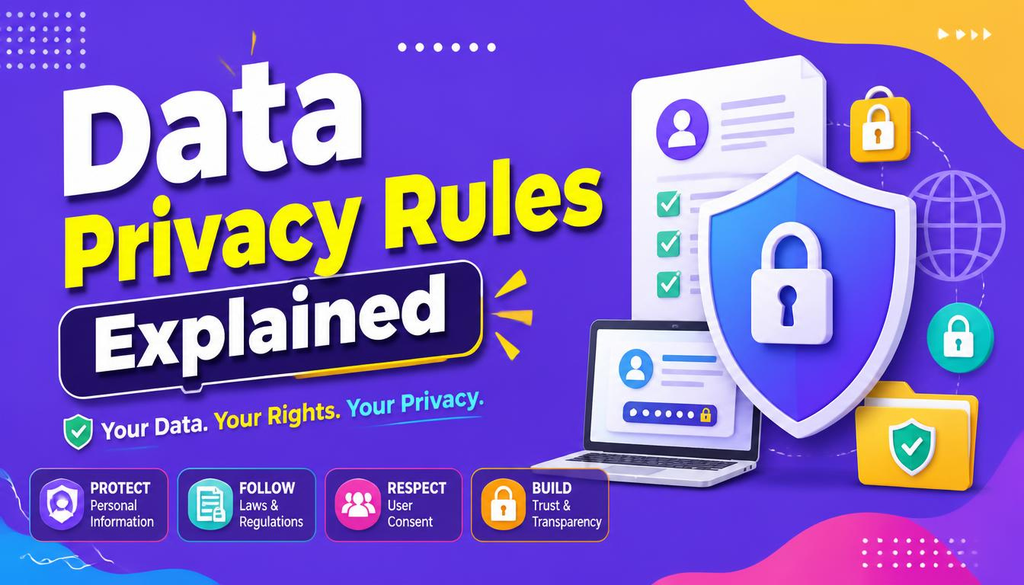
If you run a website today, you are in the data business whether you realize it or not. The moment a visitor drops their email into your newsletter box, creates an account, or simply scrolls through your pages while an analytics script runs in the background, you are collecting personal data. Names, IP addresses, browsing habits, and purchase histories all leave a digital trail—and that trail comes with major responsibility.
Navigating GDPR & CCPA compliance is no longer just a task for corporate legal teams; it is an essential everyday process for anyone building or managing a web platform in 2026. Without proper GDPR & CCPA compliance, even small web operators face huge risks.
Two major legal frameworks lead the global conversation on privacy: Europe’s General Data Protection Regulation (GDPR) and the California Consumer Privacy Act (CCPA). They come from different parts of the world and tackle things in unique ways, but both exist for the exact same reason: to give everyday people control over their personal information.
This guide strips away the confusing legal jargon and explains GDPR & CCPA compliance in practical terms. We’ll cover what counts as personal data, what your business actually needs to do, and how to build a setup for GDPR & CCPA compliance that protects both your visitors and your brand.
A Quick Heads-Up: This guide is designed for educational purposes to help you understand the tech and workflows involved in GDPR & CCPA compliance—it isn’t official legal advice. Privacy obligations vary based on your location, your audience, and how you handle data. When in doubt, consulting a qualified privacy attorney is always a smart move.
What Is Data Privacy (and How Does It Differ From Security)?
It’s easy to mix up privacy and security, but they focus on two distinct sides of the same coin:
┌─────────────────────────────────────────────────────────────┐
│                 Data Privacy vs. Data Security               │
├─────────────────────────────────────────────────────────────┤
│ Data Privacy:   POLICIES on how data is collected & used    │
│ Data Security:  PROTECTIONS (Encryption/MFA) preventing leaks│
└─────────────────────────────────────────────────────────────┘
- Data Privacy is about permission and usage. It asks: Do you have a legitimate reason to collect this data? Did the user agree to it? Are you being transparent about where that data goes?
- Data Security is about protection. It asks: Is that data safely stored behind strong encryption and passwords so bad actors can’t steal it?
Personal information isn’t just someone’s full name or social security number. In today’s web environment, it includes indirect identifiers like IP addresses, browser types, location tags, and advertising cookies.
Achieving true GDPR & CCPA compliance means balancing both: setting clear rules for how you handle data (privacy) and locking the digital doors so no one can breach it (security).
To review foundational defensive controls for your server, check out our handbook on Network Security Basics.
What Is GDPR?
The General Data Protection Regulation (GDPR) is Europe’s flagship privacy law, active since 2018. It was designed to give residents across the European Economic Area (EEA) complete visibility and control over their online footprints.
Here is the kicker for site owners outside of Europe: GDPR has international reach.
If your website targets, sells to, or simply monitors visitors living in the EU—even if you operate your server from a small desk on another continent—GDPR & CCPA compliance principles apply to you. Assuming you are exempt just because you are based elsewhere is one of the most common pitfalls in digital publishing.
To review official EU framework documentation, consult the official EU GDPR Portal.
What Is CCPA?
Across the Atlantic, the California Consumer Privacy Act (CCPA)—which was later expanded by the California Privacy Rights Act (CPRA)—serves as America’s most prominent state-level privacy law.
┌─────────────────────────────────────────────────────────────┐
│                   Core Rights Under CCPA/CPRA               │
├─────────────────────────────────────────────────────────────┤
│ 1. Right to Know      ──► What data is collected & shared   │
│ 2. Right to Delete    ──► Erase personal records            │
│ 3. Right to Opt-Out   ──► Stop sale or sharing of data      │
│ 4. Right to Correct   ──► Fix inaccurate information        │
└─────────────────────────────────────────────────────────────┘
CCPA gives California consumers the explicit right to know what personal data companies collect about them, demand deletion, and opt out of having their information sold or shared with advertisers.
While it primarily targets businesses reaching specific revenue or data volume thresholds, integrating GDPR & CCPA compliance into your platform is simply good practice for any customer-facing business. For verified regulatory updates, refer to the California Attorney General CCPA Guidelines.
GDPR vs CCPA: The Key Differences
While both frameworks aim to protect users, they handle operational consent very differently. Understanding these nuances makes managing GDPR & CCPA compliance much easier for site managers:
| Feature | GDPR (European Union) | CCPA / CPRA (California) |
| Core Philosophy | Privacy is a fundamental human right | Consumers should control commercial data |
| Consent Model | Opt-In: Must ask before tracking/collecting | Opt-Out: Can collect until user says “Stop” |
| Data Sales | Heavily restricted under consent rules | Explicit right to say “Do Not Sell/Share My Info” |
| User Requests | Must respond within 30 days | Must respond within 45 days |
| Fines & Penalties | Up to €20 Million or 4% of global turnover | Up to $7,500 per intentional violation |
What Actually Counts as “Personal Data”?
You might be surprised by how broad privacy laws draw the line. Personal data isn’t just billing info—it is anything that could reasonably identify a living person or household:
┌─────────────────────────────────────────────────────────────┐
│             Examples of Covered Personal Data               │
├─────────────────────────────────────────────────────────────┤
│ Direct Details ──► Full Names, Emails, Phone Numbers         │
│ Tech Traces    ──► IP Addresses, Device IDs, Cookie Hashes   │
│ Commercial     ──► Order History, Cart Data, Search Logs    │
└─────────────────────────────────────────────────────────────┘
If your website runs basic Google Analytics, Facebook pixels, or comment plugins, you are handling personal data every single day. Acknowledging these quiet background trackers is the first real step toward complete GDPR & CCPA compliance.
Why Data Mapping Is Your Secret Weapon
Before you can write a privacy policy or install a consent banner, you need to know what is actually happening on your server. This is where a Data Map comes in for GDPR & CCPA compliance.
Think of a data map as a simple flowchart showing how information flows into, through, and out of your business:
Visitor Interface ──► Web Server ──► Analytics Engine ──► CRM ──► Ad Networks
Ask yourself these practical questions:
- What are we collecting? (e.g., names, emails, IPs, payment info)
- Where does it come from? (e.g., contact forms, checkout boxes, cookie tags)
- Why do we need it? (e.g., to ship products, send updates, analyze traffic)
- Who else touches it? (e.g., payment gateways, email marketing services)
- How long do we keep it? (e.g., 30 days, 1 year, or forever?)
Once you map this out on a simple spreadsheet, your GDPR & CCPA compliance roadmap becomes instantly clearer.
GDPR’s Legal Grounds: You Need a Reason to Collect Data
Under European law, you cannot simply gather user data “just in case you need it later.” For effective GDPR & CCPA compliance, you must tie every piece of data you collect to one of six official legal bases:
- Consent: The user explicitly said “Yes” (like clicking an opt-in box for a newsletter).
- Contractual Necessity: You need the data to deliver what they bought (like an address to ship a physical item).
- Legal Obligation: The law forces you to keep it (like holding tax receipts for accounting).
- Vital Interests: Needed to protect someone’s life or safety.
- Public Task: Necessary for public interest work (mostly government entities).
- Legitimate Interests: Necessary for running your core business safely, as long as it doesn’t override the user’s fundamental privacy rights.
┌─────────────────────────────────────────────────────────────┐
│                 GDPR Consent Checklist                       │
├─────────────────────────────────────────────────────────────┤
│ ☐ Freely Given     ──► No forced consent walls              │
│ ☐ Specific         ──► Separate consent for separate uses   │
│ ☐ Informed         ──► Clear description of data usage      │
│ ☐ Unambiguous      ──► Active opt-in (No pre-checked boxes) │
└─────────────────────────────────────────────────────────────┘
Keep in mind: pre-checked boxes or tricky UI designs (“dark patterns”) violate GDPR & CCPA compliance standards. Consent must be earned with a clean, conscious click.
Respecting User Rights: What You Must Provide
Both GDPR and CCPA hand the steering wheel back to the user. If a visitor contacts you asking about their data, you need a clear process for GDPR & CCPA compliance to respond:
┌─────────────────────────────────────────────────────────────┐
│                 Individual Privacy Rights                   │
├─────────────────────────────────────────────────────────────┤
│ Access ──► Erasure ──► Rectification ──► Portability ──► Opt-Out │
└─────────────────────────────────────────────────────────────┘
- The Right to Access: “Show me everything you know about me.”
- The Right to Erasure (Right to be Forgotten): “Delete my account and scrub my records.”
- The Right to Fix Errors: “My email or name is misspelled; update it.”
- The Right to Opt-Out: “Stop sharing my browsing habits with ad platforms.”
Having a simple intake email (like privacy@yourdomain.com) or a dedicated form on your site ensures you handle these requests while staying in line with GDPR & CCPA compliance deadlines.
Crafting a Privacy Policy That People Can Actually Read
Your Privacy Policy shouldn’t be a 50-page document full of complex legal jargon copied from another site. To achieve true GDPR & CCPA compliance, it needs to be a clear, honest explanation of your real-world practices.
What Your Policy Should Clearly Outline:
- Exactly what information you collect and why.
- The third-party tools, plugins, and partners you share data with.
- How long you store that information before purging it.
- How visitors can exercise their rights under GDPR & CCPA compliance laws.
- Direct contact information for whoever handles site administration.
If your site handles user registrations or sensitive client accounts, securing your administrative backend goes hand-in-hand with your privacy policy. Learn How to Create Unhackable Passwords to protect your site’s master credentials.
Tackling Website Cookies and Consent Banners
Cookies do everything from keeping users logged in to tracking across the web for targeted ads. Managing cookies properly is a big part of overall GDPR & CCPA compliance:
┌─────────────────────────────────────────────────────────────┐
│                 Cookie Categorization                       │
├─────────────────────────────────────────────────────────────┤
│ Essential      ──► Required for core site functions         │
│ Analytics      ──► Measure site performance & visitor paths │
│ Marketing      ──► Target ads & build user profiles         │
└─────────────────────────────────────────────────────────────┘
Doing Banners Right:
Simply slapping a banner on your site that says “By using this site, you accept cookies” does not equal GDPR & CCPA compliance.
Non-essential cookies (like tracking pixels and ad scripts) must remain paused until the user actively clicks “Accept.” For California visitors, full GDPR & CCPA compliance requires a clear footer link stating “Do Not Sell or Share My Personal Information.”
Two Golden Rules: Data Minimization & Deletion
1. Data Minimization
Don’t ask for details you don’t need. If someone is filling out a simple contact form, do you really need their home address and phone number? The less data you collect, the easier GDPR & CCPA compliance becomes—and the lower your risk if something goes wrong.
2. Set Expiration Dates (Retention)
Holding onto customer data indefinitely creates legal risks under GDPR & CCPA compliance guidelines. Establish automatic cleanup schedules:
┌─────────────────────────────────────────────────────────────┐
│                Sample Retention Guidelines                  │
├─────────────────────────────────────────────────────────────┤
│ Marketing Subscribers ──► Clear after 12 months inactive    │
│ Server Access Logs    ──► Purge every 90 days               │
│ Financial Receipts    ──► Retain per tax laws (5-7 years)    │
└─────────────────────────────────────────────────────────────┘
Security Is the Backbone of Privacy
You can have the best privacy policy on the internet, but if your database gets compromised, your GDPR & CCPA compliance strategy falls apart completely.
┌─────────────────────────────────────────────────────────────┐
│              Essential Data Protection Stack                │
├─────────────────────────────────────────────────────────────┤
│ Encryption ──► Access Controls ──► MFA ──► Security Audits  │
└─────────────────────────────────────────────────────────────┘
Essential Technical Safeguards:
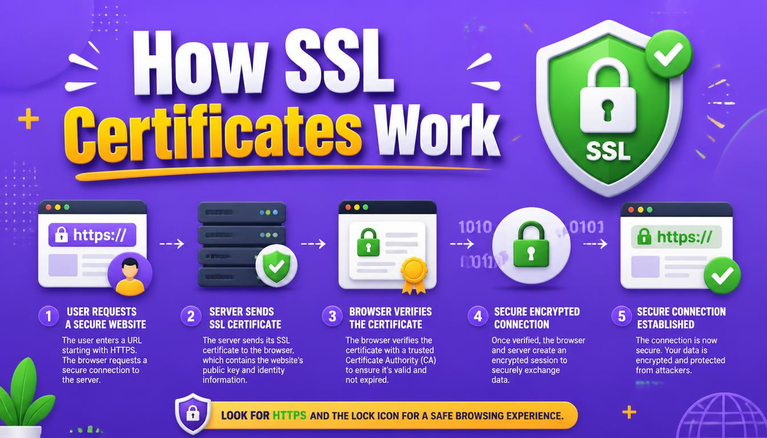
- Encrypt Traffic in Transit: Run your entire platform over secure HTTPS protocols. Learn How SSL Certificates Work to protect data moving between browsers and your server.
- Encrypt Saved Data: Scramble database backups and stored credentials using modern standards. Read How AES-256 Encryption Works.
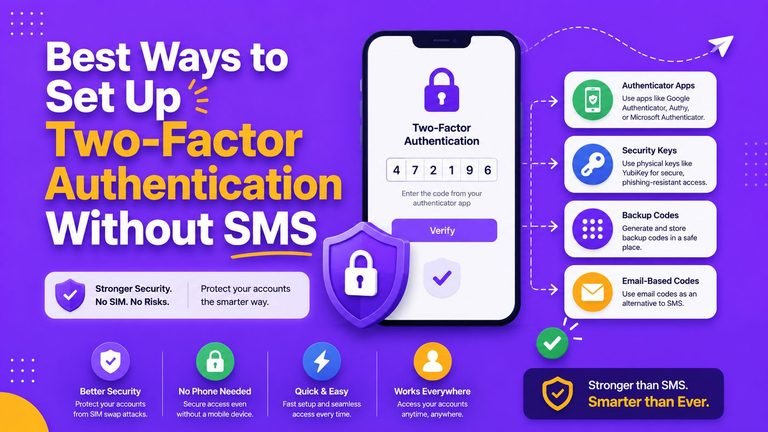
- Enforce Multi-Factor Authentication (MFA): Require MFA for every admin account on your host or CMS. Follow our guide to Set Up Two-Factor Authentication.
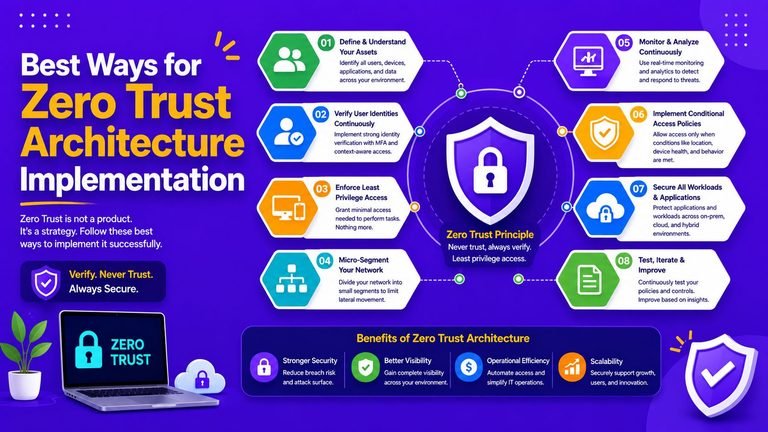
- Limit Staff Access: Follow the Principle of Least Privilege. Only grant team members access to the specific data tools they need for daily operations.
What Counts as a Data Breach (and What Happens Next)?
A data breach isn’t just a high-profile nation-state hack. It is any situation where personal data gets exposed, lost, altered, or stolen without permission.
┌─────────────────────────────────────────────────────────────┐
│                  Common Data Breach Triggers                │
├─────────────────────────────────────────────────────────────┤
│ Stolen Devices ──► Compromised Admin Accounts ──► Leak      │
└─────────────────────────────────────────────────────────────┘
Examples include a team member losing an unencrypted laptop containing client lists, a misconfigured server bucket, or an email sent to the wrong mass distribution list by accident.
Under GDPR & CCPA compliance rules, if a breach poses a risk to individuals, you have a strict 72-hour window to report it to privacy authorities from the moment you discover it.
If you manage WordPress environments, protect your infrastructure against brute-force disruptions by following our guide on How to Protect Your WordPress Website From DDoS Attacks.
Your Practical Compliance Checklist
Use this simple, real-world checklist to audit your platform’s status regarding GDPR & CCPA compliance:
| Compliance Area | Action Item | Status |
| Data Audit | List all forms, analytics tools, and scripts active on your site | ☐ |
| Privacy Policy | Publish an up-to-date policy reflecting actual data practices | ☐ |
| Cookie Management | Set up a consent banner that blocks ad/analytics scripts prior to opt-in | ☐ |
| CCPA Link | Place a visible “Do Not Sell/Share My Info” link in your website footer | ☐ |
| User Intake | Create a dedicated email or page to handle data deletion requests | ☐ |
| HTTPS Encryption | Install and maintain valid SSL/TLS certificates across all domain routes | ☐ |
| Admin Access | Enable Multi-Factor Authentication on hosting, email, and CMS portals | ☐ |
| Vendor Checks | Ensure third-party tools sign Data Processing Agreements (DPAs) | ☐ |
Common Privacy Mistakes to Avoid
- Copying Someone Else’s Policy: Every website uses a unique mix of plugins, hosting setups, and marketing tools. A generic policy undermines your GDPR & CCPA compliance.
- Collecting Data “Just in Case”: Gathering unnecessary fields clutters your database and creates liability during a breach.
- Ignoring Background Plugins: Remember that third-party chat widgets, ad tags, and analytics plugins collect data under your brand’s roof.
- Forgetting About Auto-Renewals or Backups: Storing years of old, unencrypted server backups on public cloud drives violates retention principles under GDPR & CCPA compliance. Review Essential Cybersecurity Rules to keep backups secured.
To learn how malicious scripts breach server defenses when underlying software goes unpatched, read What Is Malware and How to Completely Remove It.
How Small Businesses Can Get Started Today
Achieving GDPR & CCPA compliance doesn’t require an enormous budget or a dedicated legal department. You can take control in seven practical steps:
┌─────────────────────────────────────────────────────────────┐
│                 7-Step Business Compliance Plan             │
├─────────────────────────────────────────────────────────────┤
│ Step 1: Map your data flows & third-party tools             │
│ Step 2: Audit website cookies & tracking scripts            │
│ Step 3: Write and publish a customized Privacy Policy        │
│ Step 4: Add a compliant cookie consent banner               │
│ Step 5: Set up a clear workflow for data deletion requests  │
│ Step 6: Lock down admin accounts with MFA & SSL encryption  │
│ Step 7: Schedule a periodic review of your data systems     │
└─────────────────────────────────────────────────────────────┘
Final Thoughts
Managing GDPR & CCPA compliance isn’t a one-and-done task—it is an ongoing operational habit. At their core, these laws simply ask businesses to treat user data with respect, honesty, and strong security measures.
When you take privacy seriously, you don’t just dodge fines—you build lasting trust with every visitor who clicks onto your site.
Frequently Asked Questions (FAQs)
What is the main difference between GDPR and CCPA compliance?
The main difference comes down to consent models. GDPR requires an explicit opt-in (users must say “Yes” before you collect tracking data). CCPA works primarily on an opt-out model, allowing data collection until a consumer explicitly tells you to stop selling or sharing their info.
Does a small blog or portfolio site really need to worry about GDPR & CCPA compliance?
Yes. GDPR and CCPA apply regardless of how small your website is if you collect data from individuals located in those jurisdictions. Even running basic visitor analytics or a contact form brings your platform under their scope.
Will a simple cookie banner make my site fully compliant?
No. A cookie banner is just the front door. Full GDPR & CCPA compliance requires an accurate privacy policy, secure data storage, proper user rights processing, and vendor management behind the scenes.
What happens if I make an honest mistake with data deletion requests?
Privacy authorities generally look for good-faith compliance efforts. If you have clear procedures for GDPR & CCPA compliance, act promptly, and take security seriously, you are in a much better position than organizations that ignore privacy rules entirely.
How Are You Handling Data Privacy?
Are your website’s privacy policy, cookie consent banners, and data request workflows fully updated for GDPR & CCPA compliance, or are you preparing to make upgrades? Share your thoughts, setup tips, or questions in the comments section below!