
10 Best Free Ways to Protect Your WordPress Website From DDoS Attacks (2026)


A sudden surge in website traffic might sound like wonderful news for an online business, but not all incoming traffic is legitimate. Sometimes, a site experiences an intentional, overwhelming barrage of automated requests designed to slow it down or knock it offline entirely. Learning how to protect your WordPress website from DDoS attacks is crucial for maintaining operational uptime and protecting online revenues.
For site owners, a successful Distributed Denial-of-Service (DDoS) incident leads to crawling load speeds, database timeouts, hosting suspensions, or total downtime. Small sites are not safe simply because they receive lower traffic volumes; automated botnets target domain names indiscriminately, making it critical to protect your WordPress website from DDoS attacks early.
The good news is that you do not need an enterprise IT budget to enforce proper technical safeguards. Implementing proven security practices allows you to protect your WordPress website from DDoS attacks using free, production-ready tools.
This comprehensive guide provides an actionable, step-by-step framework to protect your WordPress website from DDoS attacks using free edge networks, server caching, software hardening, and real-time monitoring strategies in 2026.
What Is a Distributed Denial-of-Service (DDoS) Attack?
A DDoS attack occurs when thousands of compromised computers (a botnet) send simultaneous HTTP requests or traffic packets to a single web host. Knowing how to protect your WordPress website from DDoS attacks starts with understanding your vulnerability vectors.
┌─────────────────────────────────────────────────────────────┐
│                 DDoS Attack Vector Mapping                  │
├──────────────────┬──────────────────┬───────────────────────┤
│ Network Bandwidth│ CPU Processing   │ Database Connections  │
│ Overloading      │ Saturation       │ Exhaustion            │
└──────────────────┴──────────────────┴───────────────────────┘
When malicious traffic targets your server, it attempts to exhaust core infrastructure resources, including:
- Available network bandwidth and port capacity.
- CPU processing threads and physical RAM.
- MySQL/MariaDB database pool connections.
- Apache/Nginx web worker processes.
The primary objective to protect your WordPress website from DDoS attacks is ensuring legitimate human visitors can reach your content uninterrupted, even while an automated attack occurs.
Can You Completely Prevent a DDoS Attack?
No security framework guarantees $100\%$ immunity against every massive traffic volumetric attack. However, establishing proper defensive layers makes your infrastructure exponentially harder to disrupt.
┌─────────────────────────────────────────────────────────────┐
│                 Layered Security Framework                  │
├─────────────────────────────────────────────────────────────┤
│ Edge CDN ──► WAF Rules ──► Page Caching ──► Origin Hardening│
└─────────────────────────────────────────────────────────────┘
Building a multi-layered defense allows you to protect your WordPress website from DDoS attacks without paying for expensive enterprise security suites.
10 Proven Free Steps to Protect Your WordPress Website From DDoS Attacks
Execute these 10 actionable steps to systematically build a resilient boundary around your WordPress application and protect your WordPress website from DDoS attacks:
1. Deploy a Free CDN With Edge DDoS Filtering
Integrating a Content Delivery Network (CDN) like Cloudflare is the single most effective action to protect your WordPress website from DDoS attacks.
Instead of users connecting directly to your origin server’s IP address, the CDN proxies all incoming requests through its global edge network.
- [ ] Route your domain’s DNS through a free security-focused CDN.
- [ ] Cache static assets (images, CSS, JavaScript, static HTML) at edge nodes.
- [ ] Hide your origin server’s real IP address from public DNS lookups.
- [ ] Enable edge-level rate-limiting and automated bot challenges to protect your WordPress website from DDoS attacks.
2. Enable Aggressive Page and Server Caching
Without caching, every single visit forces WordPress to execute PHP scripts, query the database, and dynamically assemble the page. Under a bot attack, this quickly crashes your host.
┌─────────────────────────────────────────────────────────────┐
│                    Uncached vs. Cached Flow                 │
├─────────────────────────────────────────────────────────────┤
│ Uncached: Request ──► Nginx ──► PHP-FPM ──► MySQL ──► Render │
│ Cached:   Request ──► Nginx/CDN Static Cache ───────► Render │
└─────────────────────────────────────────────────────────────┘
- [ ] Install a reputable caching plugin or activate server-level caching (Redis/Memcached/FastCGI).
- [ ] Serve pre-rendered static HTML files to unauthenticated site visitors.
- [ ] Utilize our guide on How Software Integration Works to verify compatibility between your web server and caching layers.
3. Maintain Core, Theme, and Plugin Updates
Outdated plugins with unpatched vulnerabilities give attackers entry vectors to launch Application-Layer (Layer 7) DDoS attacks from within your site.
- [ ] Update WordPress core, active themes, and plugins weekly.
- [ ] Upgrade to modern PHP versions supported by your host.
- [ ] Delete inactive plugins and unused themes to reduce your attack surface.
- [ ] Perform systematic software checks using our framework on How to Choose Software.
4. Implement a Web Application Firewall (WAF)
A Web Application Firewall monitors and filters incoming HTTP requests before they reach your WordPress PHP engine, providing a critical layer to protect your WordPress website from DDoS attacks.
- [ ] Enable a free cloud-based WAF at the DNS edge layer.
- [ ] Configure web application protection rules to block malicious user agents and automated scripts.
- [ ] Combine network firewalls with advanced edge controls detailed in our analysis on 10 Best Ways Next Generation Firewall Protects Networks in 2026.
5. Secure the WordPress Login Directory (wp-login.php)
Automated credential-stuffing botnets flood login pages with millions of requests. Even when logins fail, the repeated PHP processing can collapse your server database.
- [ ] Restrict access or add CAPTCHA challenges to
wp-login.php. - [ ] Enforce strong user passwords following our tutorial on How to Create and Manage Strong Passwords.
- [ ] Enable mandatory multi-factor authentication using our guide on How to Set Up Two-Factor Authentication.
6. Disable or Restrict XML-RPC Interface
The legacy xmlrpc.php file in WordPress is frequently targeted by brute-force botnets because a single request can test hundreds of password combinations.
- [ ] Determine whether your mobile apps or Jetpack plugins rely on XML-RPC.
- [ ] If unused, block public access to
xmlrpc.phpvia.htaccess, Nginx rules, or a security plugin. - [ ] Restricting unnecessary API exposure directly helps protect your WordPress website from DDoS attacks.
7. Enforce Full Site Encryption (HTTPS/TLS)
Enforcing HTTPS encrypts visitor traffic and prevents malicious packet manipulation across intermediate network nodes.
- [ ] Install a free SSL/TLS certificate provided by Let’s Encrypt or your web host.
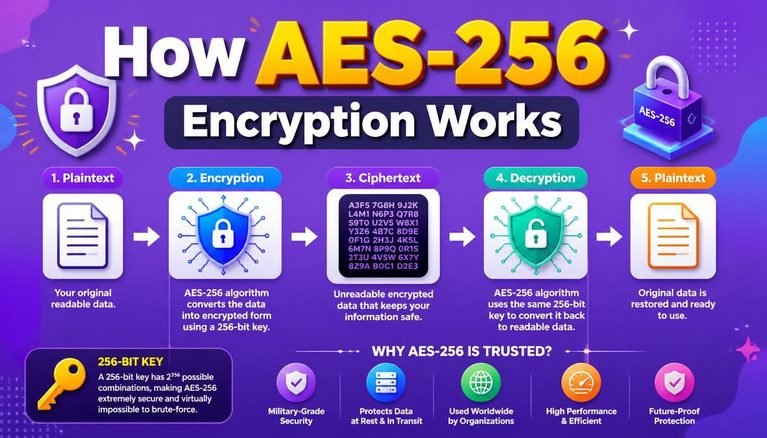
- [ ] Understand the cryptographic mechanics protecting your site data in our guide explaining How AES-256 Encryption Works.
- [ ] Force automatic HTTP-to-HTTPS redirection across all site pages.
8. Leverage Hosting Provider DDoS Protections
Many managed WordPress hosts provide infrastructure-level protection at the router or data center perimeter to protect your WordPress website from DDoS attacks.
- [ ] Confirm whether your web host includes hardware-level scrubbing centers.
- [ ] Request IP blacklisting or server-level rate limiting during traffic floods.
- [ ] Integrate your web host’s defensive configurations with our comprehensive Small Business Cybersecurity Audit Checklist.
9. Monitor Web Traffic Anomalies
Detecting unusual traffic spikes early allows you to activate emergency defense modes before your database crashes.
- [ ] Track real-time visitor counts, CPU usage, and bandwidth usage via your host dashboard.
- [ ] Differentiate legitimate viral traffic from malicious botnet attacks.
- [ ] Implement identity-centric network monitoring as outlined in our manual for 10 Best Ways for Zero Trust Architecture Implementation in 2026.
10. Implement Uptime and Performance Monitoring
Configuring automated ping checks ensures you receive instant notifications the moment your site experiences downtime.
- [ ] Set up a free uptime monitoring service to test your domain every 5 minutes.
- [ ] Configure alerts via email, SMS, or Slack to notify your technical team immediately.
- [ ] Master general baseline security practices detailed in our walkthrough on Network Security Basics.
Free WordPress DDoS Protection Matrix
Use this evaluation matrix to verify your technical posture as you work to protect your WordPress website from DDoS attacks:
| Defensive Measure | Technical Risk Mitigated | Implementation Complexity | Primary Protection Layer |
| Edge CDN Setup | Volumetric Traffic Spikes | Low (DNS Change) | Cloud Edge Layer |
| Page Caching | High CPU & Database Load | Low (Plugin / Host) | Server / PHP Layer |
| WAF Filtering | Application Layer Attacks | Medium (Cloud Rules) | Cloud / DNS Layer |
| XML-RPC Disabling | Brute-Force Botnets | Low (.htaccess / Plugin) | Application Layer |
| Login Hardening | Credential Stuffing | Low (2FA / CAPTCHA) | User Identity Layer |
Emergency Action Plan: What to Do During an Active DDoS Attack
If your site is currently undergoing an active attack, remain calm and follow this emergency containment workflow to protect your WordPress website from DDoS attacks:
┌─────────────────────────────────────────────────────────────┐
│                 Emergency Response Timeline                 │
├─────────────────────────────────────────────────────────────┤
│ 1. Verify Outage ──► 2. Enable Under Attack Mode ──► 3. Host │
└─────────────────────────────────────────────────────────────┘
- Verify the Outage: Confirm whether the downtime is caused by server maintenance, a bad plugin update, or an influx of automated traffic.
- Enable Emergency CDN Modes: Turn on “Under Attack Mode” or aggressive JavaScript challenges inside your CDN dashboard to block unverified bots before they hit your server.
- Contact Your Hosting Support: Ask your host to review active connection logs and block offending IP ranges at the server firewall level to protect your WordPress website from DDoS attacks.
- Isolate Infected Local Devices: If your admin credentials were leaked via endpoint malware, follow our guide on how to Remove Malware From Windows and Mac.
Final Thoughts
Learning how to protect your WordPress website from DDoS attacks is an essential requirement for managing a modern web presence. You do not need expensive security packages to maintain high uptime—combining a free security CDN, strict page caching, login hardening, and routine updates provides robust defense against automated botnets.
Start today: configure a free edge CDN, audit your active plugins, and enforce multi-factor authentication across all admin accounts to protect your WordPress website from DDoS attacks and keep your site fast, stable, and secure in 2026.
Frequently Asked Questions (FAQs)
How can I protect my WordPress website from DDoS attacks for free?
You can protect your WordPress website from DDoS attacks for free by proxying your DNS through a free CDN like Cloudflare, enabling page caching, disabling XML-RPC, enforcing 2FA on login pages, and keeping your core software updated.
Will a free CDN slow down my WordPress website?
No. A properly configured CDN speeds up your website globally by serving cached static assets (images, CSS, JS) from edge servers physically closer to your visitors while relieving load on your origin server.
What is the difference between a DoS and a DDoS attack?
A Denial-of-Service (DoS) attack originates from a single IP address or computer system. A Distributed Denial-of-Service (DDoS) attack utilizes thousands of compromised devices (a botnet) spread across global networks simultaneously.
Can plugins completely stop DDoS attacks?
Security plugins can help block malicious login attempts and application-layer threats, but they run inside WordPress PHP. For large volumetric attacks, you must use edge-level protection (like a CDN) to intercept traffic before it reaches your server.
Share Your Experience
Have you implemented free security controls to protect your WordPress website from DDoS attacks? What security tools or caching configurations have worked best for your host? Share your experiences, setups, and questions in the comments below!






2 Comments